Routing & Middlewares
All inbound traffic to your apps flows through Goma Gateway. Miabi configures Goma for you from the domains and apps you define — you describe what should be reachable, and Miabi generates the routing.
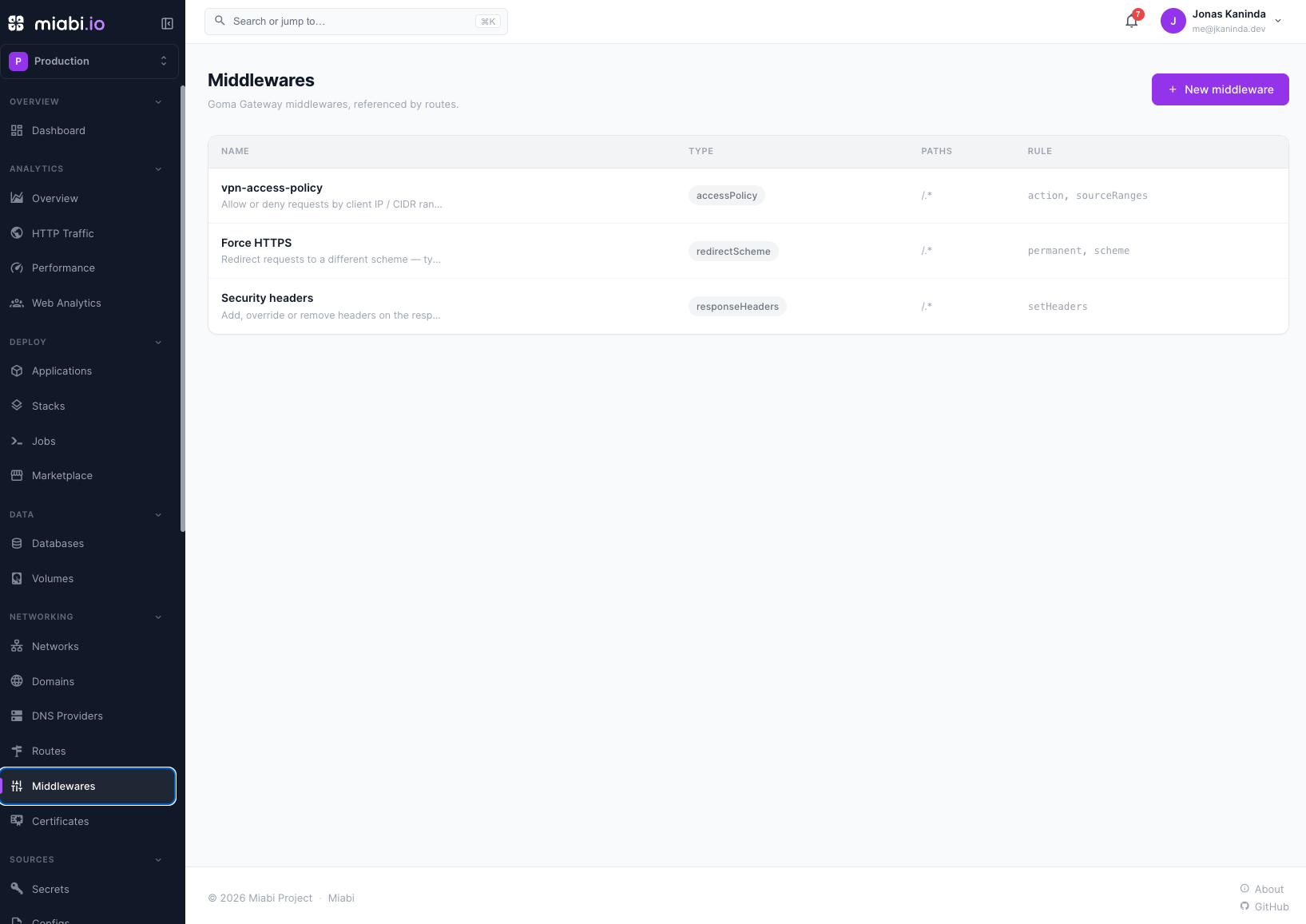
This page explains what the gateway does with a route. For the step-by-step of making an application reachable — declaring a port, one-click external access, attaching your own domain, or publishing a host port — start at Exposing an Application.
How routing works
When you create a route for a host under a verified domain and point it
at an application, Miabi writes a route file into Goma's watched
file-provider directory (MIABI_GOMA_PROVIDER_DIR, default /etc/goma/providers) that maps the
hostname to the app's container on the internal network. Goma's file provider continuously
watches that directory and hot-reloads the routes; it handles TLS termination (see
TLS certificates) and forwards the request to the right
container.
Miabi drives the control plane's gateway purely through that directory — there is no API endpoint
or auth token between the two (gateways on other nodes work differently; see
Gateways per cluster). Miabi writes YAML; Goma watches and reloads it. The gateway's own goma.yml supports
${VAR} environment-variable substitution (hosts, ACME email, Redis password, …), so a single
.env configures both Miabi and the gateway. See Configuration.
Routed traffic never needs a published port: apps and databases stay on internal networks and the gateway is the public surface. The one exception is a host port an application explicitly requests and a platform admin approves — that traffic bypasses the gateway, and with it TLS and middlewares.
Maintenance mode
A route can be parked: the gateway answers every request to it itself and never reaches the backend. Open Networking → Routes → the route → Settings → Maintenance and choose Start maintenance.
The app keeps running — this is a gateway-level switch, not a stop. A deploy, a database migration, or a restart happens behind a stable, deliberate response instead of a connection error, and traffic resumes the moment you turn it off. No redeploy is involved either way.
Leave the response blank and the gateway replies 503 with a short default message. Set your own status and text when you want something more specific:
| Field | Notes |
|---|---|
| Status code | Must be 4xx or 5xx. Miabi rejects a 2xx or 3xx: a parked route answering 200 tells uptime monitors the site is healthy and invites search engines to index the placeholder. |
| Message | Up to 1024 characters, returned as the body — as plain text, JSON, or XML depending on who is asking. |
The response format follows the caller
You write one message; the gateway picks its format from the request's Accept header (falling back
to Content-Type). The same parked route can answer a browser and an API client appropriately:
| The caller asks for | It gets |
|---|---|
application/json | Content-Type: application/json. If your message is itself valid JSON it is returned verbatim — so an API can keep answering in its own error shape. Otherwise the gateway wraps it: {"success":false,"statusCode":503,"error":"…"} |
application/xml, text/xml, application/xhtml+xml | An <error> document containing the status and your message. XML is always wrapped and escaped — unlike JSON, a hand-written XML message is not passed through, it is escaped into the envelope |
| anything else | Plain text (text/plain), the message as written |
Two consequences worth planning around. A browser sends
Accept: text/html,application/xhtml+xml,… — matched as a whole string, that is none of the cases
above, so browsers land in the plain-text branch. Write the message for a human reading plain text,
and let JSON clients get the structured form.
And if you want a JSON body, make the message valid JSON on its own:
{"status":"maintenance","message":"Back at 14:00 UTC","retry_after":"2026-08-16T14:00:00Z"}
Anything that does not parse is treated as prose and wrapped in the gateway's envelope instead — which is a fine outcome, just not the one you wrote.
Maintenance is a per-route switch, so a workspace can park its public site while an internal admin host on a different route stays reachable. A parked route is badged maintenance in the route list and on its detail page — its sync status still reads live, which is accurate: the gateway is serving the route, it is simply serving your notice instead of the app.
It also works on auto-generated external-access routes, which cannot otherwise be edited, since an app being maintained is exactly when its generated route should answer 503 rather than fail.
Route security
Exploit protection, under Settings → Gateway security, is off by default. It rejects requests carrying common injection and traversal signatures at the gateway, before the backend sees them. Worth enabling in front of an application you do not control or cannot patch quickly. Leave it off for an API that legitimately carries SQL-ish or path-ish payloads in its parameters, where a signature filter produces false positives that are hard to debug from the client side.
It applies to advanced (raw YAML) routes too — Miabi merges it over whatever the config declares,
leaving any hand-authored security keys it has no field for (root CAs, client certificates)
untouched.
The proxy abstraction
Goma sits behind a pluggable proxy abstraction. Miabi talks to a generic reverse-proxy interface, and Goma is the default implementation. This keeps the door open for other proxies later without changing how you define domains, routes, or middlewares. See the architecture overview for where the abstraction sits in the system.
Workspace middlewares
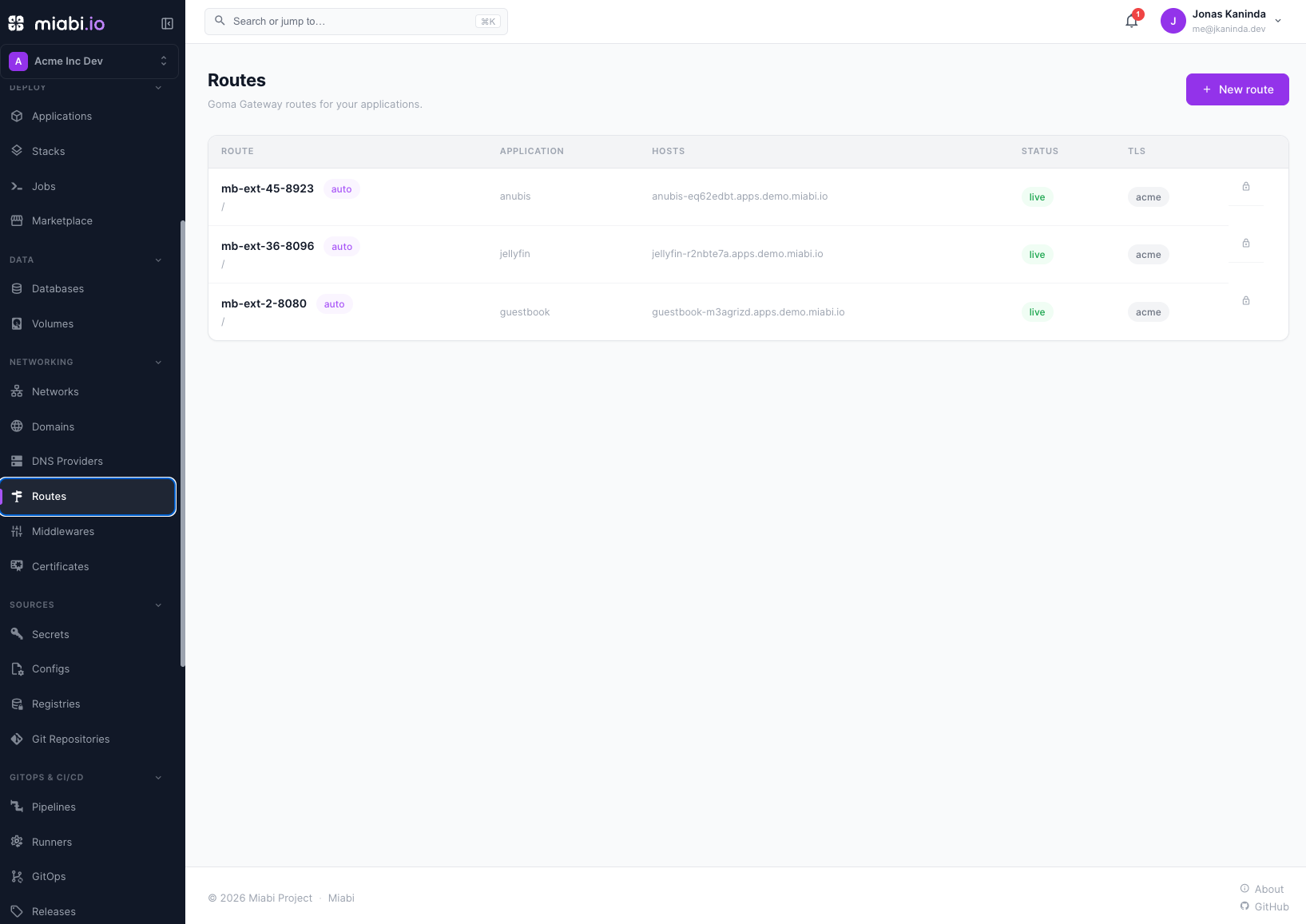
Workspaces own middlewares — reusable request-processing rules you attach to routes. Common examples:
- Authentication — require a login or token before traffic reaches the app.
- Rate limiting — cap requests per client to protect a backend.
- Headers — add, rewrite, or strip request/response headers (CORS, security headers, etc.).
- Access control — allow or deny by client IP/CIDR, User-Agent, or country (GeoIP).
Define a middleware once in the workspace, then attach it to one or more routes. Updating the middleware updates every route that uses it.
Order matters
A route's middlewares run in the order they are listed, and each one can answer or reject a request before the next is reached. The order is part of the behaviour, not a display preference:
middlewares: ["rate-limit", "basic-auth"]   # throttle first, then authenticate
middlewares: ["basic-auth", "rate-limit"]   # authenticate first, then throttle
Those two are meaningfully different. In the first, an anonymous flood is rejected by the rate limiter before it ever reaches the auth check — the cheap filter runs first, which is usually what you want. In the second, every request is authenticated before the limiter sees it, so the limiter counts only credentialed traffic, and unauthenticated floods still pay for the auth work.
Reorder on the route's page under Networking → Routes → the route → Overview → Middlewares: each entry is numbered by execution position, with arrows to move it earlier or later. Nothing is sent until you press Save order, so a multi-step rearrangement reaches the gateway as one change rather than one reload per move. Attaching and detaching are held while an order change is pending — save or discard first.
Geo access control
The Country access policy (GeoIP) middleware allows or denies requests by the client's country:
- Allowlist (
ALLOW) — only the listed countries reach the app. - Blocklist (
DENY) — the listed countries are rejected; everyone else passes.
Countries are ISO 3166-1 alpha-2 codes
(US, FR, DE, …). Private and internal traffic is never geo-fenced, and when a country
can't be resolved the request is allowed by default (turn off Allow unknown country for
fail-closed). You can also inject the resolved country to the backend via a header (e.g.
X-Country-Code) for localization.
Geo rules need a GeoIP database on the gateway, which Miabi does not install for you:
put a .mmdb country database at /etc/miabi/country.mmdb and restart the gateway — see
GeoIP database for where to get one and which
licenses apply. Without it, no request resolves to a country, so every geo rule falls
through to the fail-open/closed setting — worth knowing before you rely on one to block
traffic.
See the Goma Geo Block middleware
reference for the full rule schema.
Stack middlewares to compose behavior — for example, rate limiting and an auth check on the same route. They run in order on each request.
Gateways per cluster
Not every node runs a gateway. Apps in the default cluster are served by the control plane's gateway, through the file-provider directory described above; nodes joined to it never run one of their own. A standalone node outside it has edge-gateway connectivity: it runs its own Goma instance, with its own public ingress and TLS, for the apps placed there. A swarm in another cluster is served by the gateway on its ingress node. These gateways pull their routes from the control plane over HTTP rather than from a directory.
Routing and middleware definitions stay workspace-level either way; Miabi renders them for whichever gateway serves the app. See Adding a node and Cluster mode for how work is distributed.
Routes are generated from your domains and apps — you don't hand-edit Goma config. Manage behavior through domains, app settings, and workspace middlewares.