Applications Overview
An application is the deployable unit in Miabi. It is owned by a workspace and represents a long-running service — a web app, an API, a worker — that Miabi builds, runs, routes, and keeps online for you. You never touch Docker commands; the console handles the full lifecycle.
The three sources
An application runs from one of three sources:
| Source | What Miabi does | Best for |
|---|---|---|
| Git repository | Builds an image from your repo on a build runner, with buildpacks or a Dockerfile | Apps you build from source on GitHub, GitLab, or Bitbucket |
| Docker image | Pulls a prebuilt image from a registry | Off-the-shelf images, CI-built artifacts, internal registries |
| Marketplace template | Provisions a curated, versioned template (WordPress, Ghost, n8n, …) | One-click installs of common software |
See Deploy from Git, Deploy from a Docker image, and the Marketplace for each path.
Creating an application
From Applications (or the workspace dashboard), click New application, give it a name, and choose a source. Marketplace templates are installed from the Marketplace page instead.
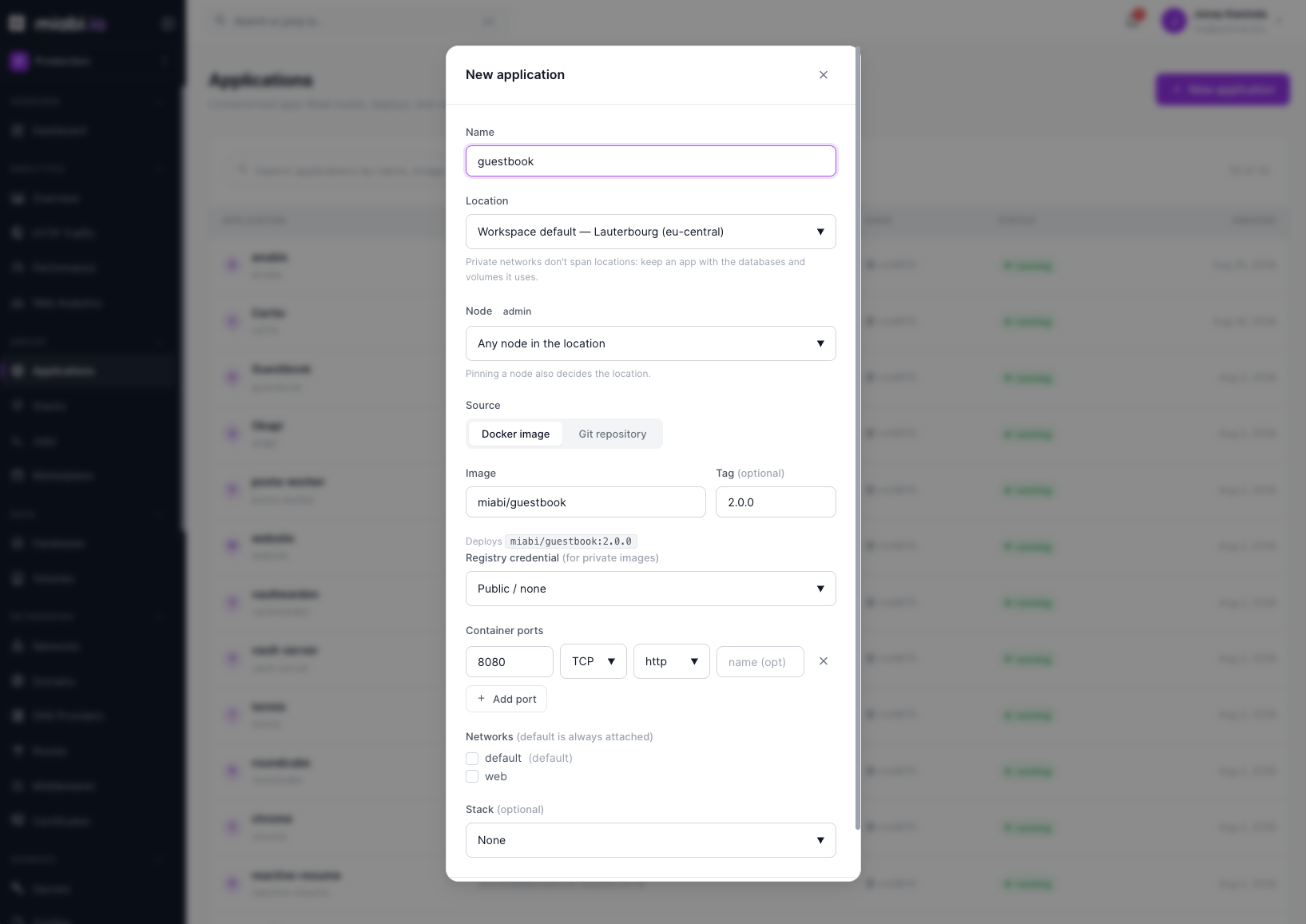
- Name your app — this becomes its identifier within the workspace.
- Pick a source — Docker image or Git repository.
- Configure the source (image, tag and registry credential, or repository, branch and build method), and optionally its container ports, networks and stack.
- Create application.
- Deploy — creating an app does not start it. Set environment variables and resource limits if needed, then deploy from the app's page.
You can create an app with minimal configuration and refine it later. Most settings can be changed and applied on the next deploy.
Application tabs
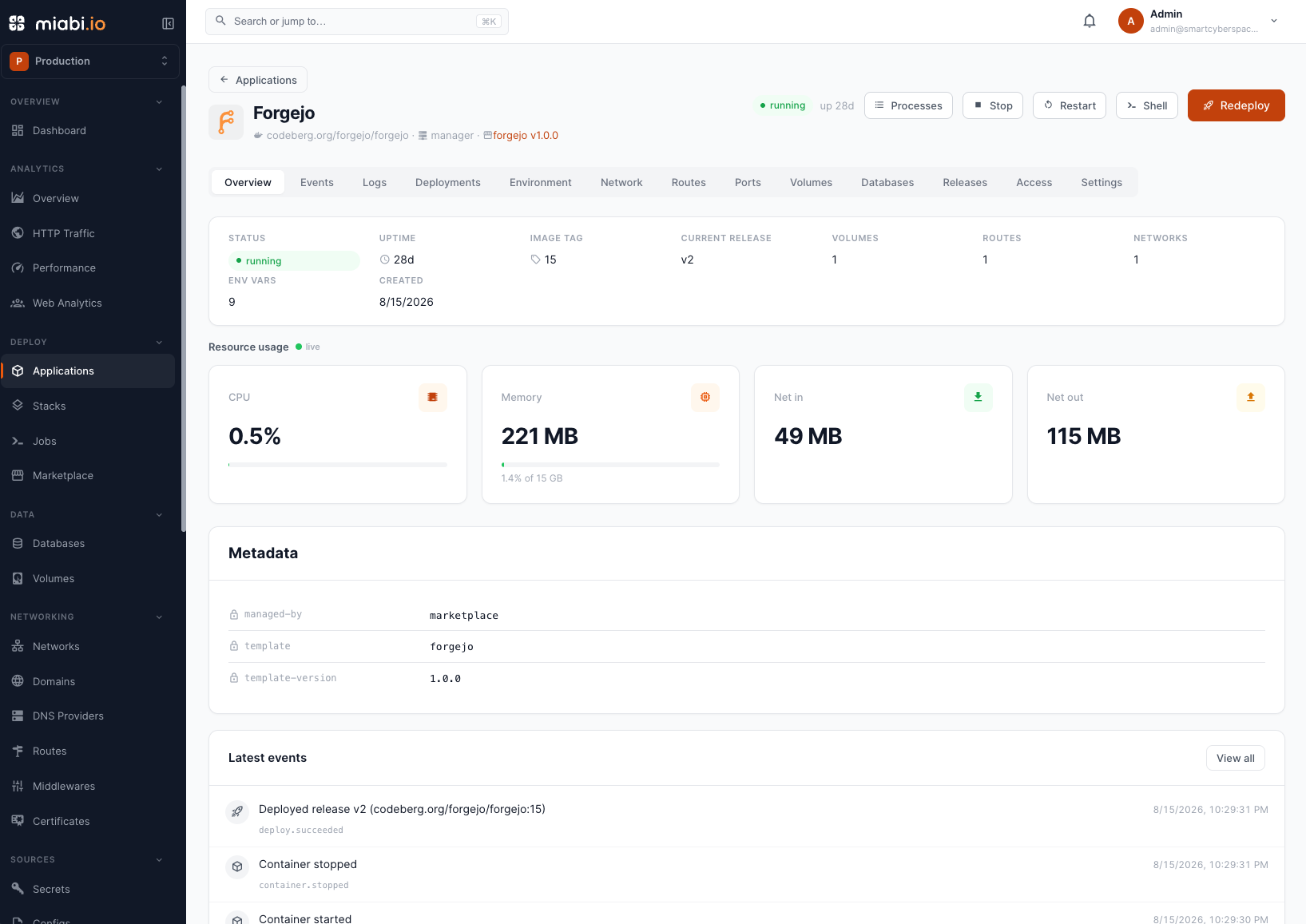
Once created, each application has a set of tabs in the console:
- Overview — status, recent activity and live resource usage.
- Events — the app's timeline of lifecycle events.
- Logs — live, streaming container logs.
- Deployments — each deploy with its live log, and the controls of a running canary.
- Environment — environment variables and secrets.
- Network — internal hostname, external access and networks.
- Routes — the routes that serve the app on your domains.
- Ports — declared container ports and host port bindings.
- Volumes — attached volumes and mounted config files.
- Databases — linked databases and their connection details.
- Releases — every release, with Activate to roll back.
- Access — Enterprise per-resource policies for this app.
- Settings — source, configuration, deployment strategy, resources, container labels, healthcheck, GitOps manifest, and the danger zone.
If the app disappears
Miabi watches for an application whose container — or swarm service — has gone missing from under
it, for example removed by hand on the node. What happens then is the platform's
reconciliation mode, which an app can
override in Settings → Resources → If this app
disappears. While the platform mode is off, no app is watched.
| Option | What it does |
|---|---|
| Platform default | Follows the platform-wide mode. The default. |
| Leave this app alone | The app is not watched, reported or touched. |
| Report only | The disappearance is reported (app event, alert, metrics) but never acted on — even while the platform redeploys. |
| Redeploy in place | The app is redeployed on the node or cluster it already ran on, even while the platform only reports. |
Whatever you choose, a missing data volume always stops a redeploy: Docker would hand the app a new, empty volume, so the data has to be restored from a backup first.
What this section covers
The rest of the Applications section walks through each capability: deploying from Git or an image, exposing the app to the internet, managing environment variables, releases and rollbacks, scaling, running one-off jobs, grouping apps into stacks, promoting through environments, and watching logs and the timeline.