Nodes Overview
A node in Miabi is a Docker host that runs your workloads. Out of the box, Miabi manages the local Docker Engine on the machine where the control plane runs — no extra setup required. As you grow, you can attach remote Docker hosts as additional nodes and let Miabi schedule applications, databases, and services across all of them.
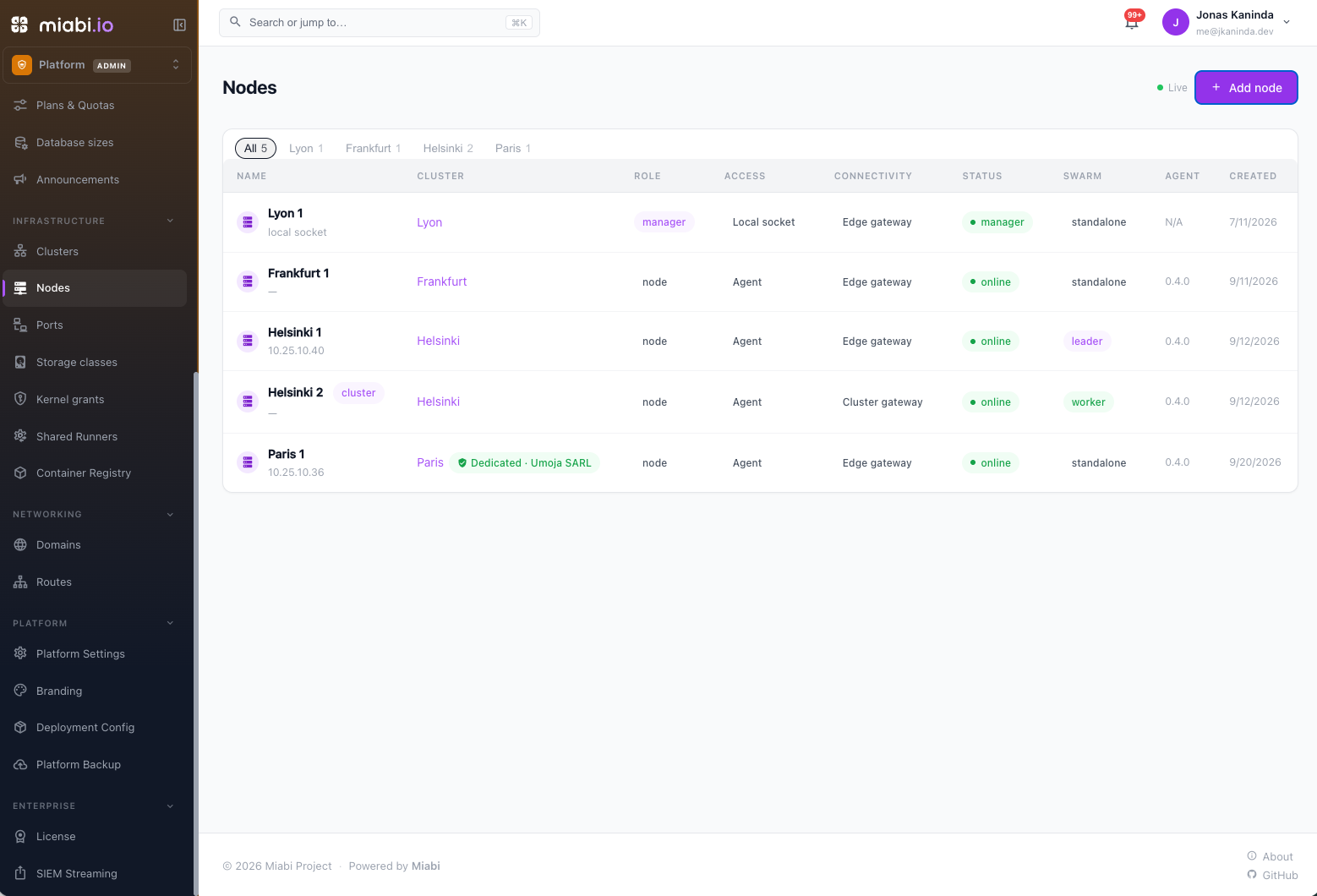
Local vs remote nodes
| Local node | Remote node | |
|---|---|---|
| Where it runs | The control-plane host itself | A separate VPS, dedicated server, or homelab box |
| Setup | Automatic | Install the node agent with a join token |
| Connectivity | Direct to the local Docker socket | Outbound WebSocket tunnel from the node (or, optionally, the Docker API) |
| Inbound ports | The platform gateway's 80/443 | None for the agent, which dials out; 80/443 for the node's own gateway |
The local node is always present and is the default scheduling target. Remote nodes appear in the same list once their agent connects, and Miabi treats them as first-class scheduling targets thereafter.
How scheduling works
When you create an app, database or volume, Miabi first picks its location (cluster) — the one you chose, else the workspace default — then a node inside it: the online, uncordoned node with the least container memory already placed on it, within the plan's node pool when plan placement applies. Platform admins can pin a node instead. Persistent volumes and databases stay on the node where they live, so stateful workloads stay put unless you explicitly migrate them.
Because the agent connects over an outbound tunnel, the control plane never needs to reach into the node to drive Docker, so a node behind NAT or a firewall can still be managed. To serve public traffic from it, its gateway's ports 80 and 443 must still be reachable.
Single-node default vs cluster mode
By design, the plain single-node experience stays trivial. With one or more nodes running standalone Docker, Miabi deploys plain containers and routes traffic to them — nothing to configure.
Standalone nodes are islands: an app can reach a database on the same node, and Miabi refuses to attach it to one on a different node, because the workspace network is node-local and the name would not resolve.
When you want apps and databases to reach each other across hosts — over an encrypted overlay, with service-based deployments and rescheduling — opt into cluster mode, which Miabi builds on auto-detected Docker Swarm. It is entirely optional; standalone nodes remain fully supported.
Clusters
Every node belongs to exactly one cluster, listed under Clusters in the admin console.
- The default cluster holds the control-plane host and, once you enable Swarm, every node that joins it.
- Any other node is a standalone cluster of its own. Adding a node creates one, and Enable Swarm on its page turns it into a swarm of its own — see Swarm in other clusters.
- Joining a swarm moves a node, and everything placed on it, into that swarm's cluster; leaving gives the node a standalone cluster back.
Give a cluster a location name and code (for example Frankfurt · eu-central) with Edit on its page. Upgrading an existing install creates these clusters automatically and changes no DNS record or Swarm object. The one gateway change affects nodes on the retired port-forward connectivity, which move to a gateway of their own — see Connectivity.
Managed and unmanaged nodes
A node is managed when Miabi has a Docker connection to it — the local socket, a connected agent, or its Docker API. That connection is what powers metrics, resource stats, the in-console shell, and housekeeping.
In cluster mode a node can be in the swarm without an agent. It runs tasks perfectly well — Swarm ships them to it directly — but Miabi cannot see inside it:
- Logs, uptime, status and placement still work (the manager reports them).
- Metrics, stats and the shell do not. Docker offers no manager-side equivalent, so an app scheduled there shows no resource usage and offers no shell.
Miabi labels such nodes unmanaged and can install the agent on all of them for you — see Manage cluster nodes.
Managing nodes
Node management is a platform-admin responsibility (Owner or Admin at the platform level). See Platform Administration for who can add, remove, and configure nodes, and the Architecture page for how nodes fit into Miabi's overall design.