DNS Providers
Connecting a DNS provider lets Miabi manage DNS on your behalf. Without one you can still add domains and verify them manually, but a connected provider unlocks the fully automated path — from ownership checks to wildcard certificates.
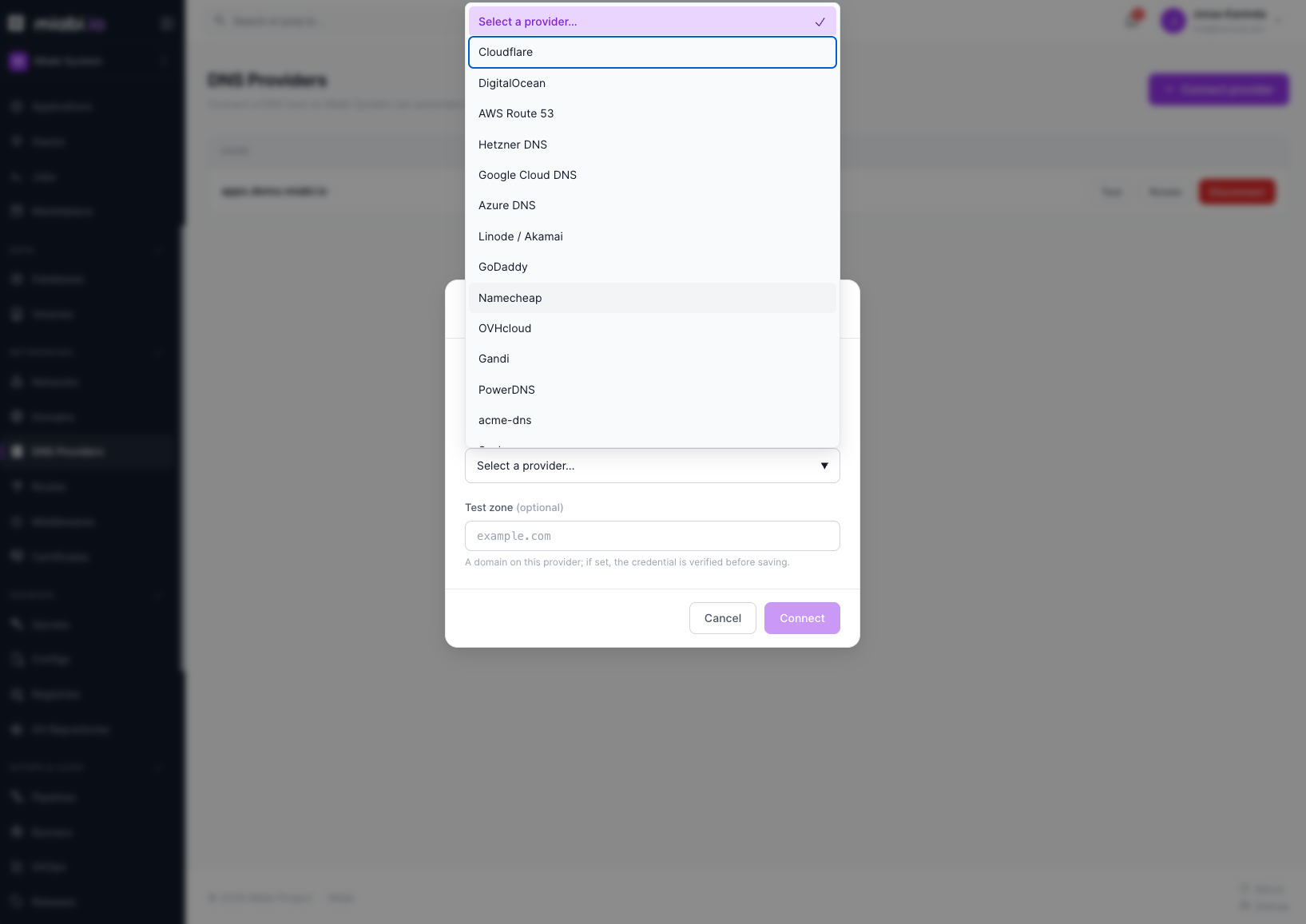
Connecting a provider
From Networking → DNS Providers, choose Connect provider, pick your DNS host, and supply the API credentials it needs (typically an API token or key/secret pair). Credentials are encrypted at rest — see Encryption — and scoped to your workspace.
Once connected, link the provider to a domain from the DNS column of the domain list or the domain's detail page; it is also used automatically for certificate challenges.
What it unlocks
A connected DNS provider enables three things:
- Ownership checks — Miabi publishes the verification record for you, so verifying a domain is a single click instead of a manual copy-paste. The check itself reads live DNS — the domain's authoritative nameservers first, then the system resolver — never the provider's API: a record that exists only in a pending zone proves nothing.
- Automatic address records — when a route serves a host under a verified, connected
domain, Miabi creates the
A/AAAA(orCNAME) record pointing it at the public address of the gateway that serves the route, re-syncs it when the route changes, and removes it when the route goes away. A reconcile job restores managed records deleted out of band. - DNS-01 challenges — required for issuing wildcard (
*.example.com) and other managed certificates via DNS-01. Only a connected provider can solve these challenges.
Wildcard certificates require a DNS provider. HTTP-01 (the default in Goma) works without one but can't issue wildcards.
Supported providers
Fields marked * are optional. The console renders this form from the same catalog, so
what you see there always matches this table.
| Type | Host | Credential fields | Where to create them |
|---|---|---|---|
cloudflare | Cloudflare | api_token | Console |
digitalocean | DigitalOcean | api_token | Console |
route53 | AWS Route 53 | access_key_id, secret_access_key, region * | Console |
hetzner | Hetzner DNS | api_token | Console |
googleclouddns | Google Cloud DNS | project, service_account_json | Console |
azure | Azure DNS | subscription_id, resource_group, tenant_id, client_id, client_secret | Console |
linode | Linode / Akamai | api_token | Console |
godaddy | GoDaddy | api_token | Console |
namecheap | Namecheap | api_key, username, client_ip *, api_endpoint * | Console |
ovh | OVHcloud | endpoint, application_key, application_secret, consumer_key | Console |
gandi | Gandi | api_token | Console |
powerdns | PowerDNS | server_url, server_id *, api_token | Console |
acmedns | acme-dns (DNS-01 only) | server_url, username, password, subdomain | Console |
scaleway | Scaleway | secret_key, organization_id | Console |
netcup | netcup | customer_number, api_key, api_password | Console |
infomaniak | Infomaniak | api_token | Console |
transip | TransIP | account_name, private_key | Console |
glesys | GleSYS | project, api_key | Console |
cloudns | ClouDNS | auth_id *, sub_auth_id *, auth_password | Console |
tencentcloud | Tencent Cloud DNSPod | secret_id, secret_key, region * | Console |
huaweicloud | Huawei Cloud DNS | access_key_id, secret_access_key, region_id * | Console |
bunny | Bunny.net | access_key | Console |
luadns | LuaDNS | email, api_key | Console |
namesilo | NameSilo | api_token | Console |
Miabi discovers which zone hosts your domain automatically. Most providers expose a zone-listing API; for the rest, Miabi probes the domain and its parents. Either way a subdomain resolves to the zone that actually manages it.
Self-hosted DNS
Two entries are worth calling out for homelabs and small hosting providers, where the DNS server is yours rather than a vendor's:
powerdns— PowerDNS through its authoritative HTTP API. Needsapi-keyset inpdns.confand the webserver enabled.acmedns— acme-dns delegation. This one is DNS-01 only: it answers for the single subdomain issued at registration and nothing else, so it can obtain certificates but cannot host your ownershipTXTor an app's A/AAAA records. Miabi refuses to link it to a domain for record automation and says so.
Managing credentials
Rotate on a provider replaces its stored credentials without disconnecting, so every domain stays linked. Supply a test zone and the new credential is verified before it displaces the working one — a bad token fails the rotation instead of breaking automation.
Removing a provider does not delete existing domains, but any feature that depends on it — automatic records, DNS-01 renewals — stops until you reconnect.
If you remove a provider that's renewing wildcard certificates, those certs will not auto-renew. Reconnect a provider before they expire, or switch the affected domains to HTTP-01 or an uploaded certificate.
Managing DNS providers is restricted to Owners and Admins, since the credentials grant control over your DNS zone.