Domains
A domain connects a public hostname (like app.example.com) to one of your
applications. Before a domain goes live, Miabi verifies that you actually control
it — so no one can claim a name they don't own.
Adding a domain
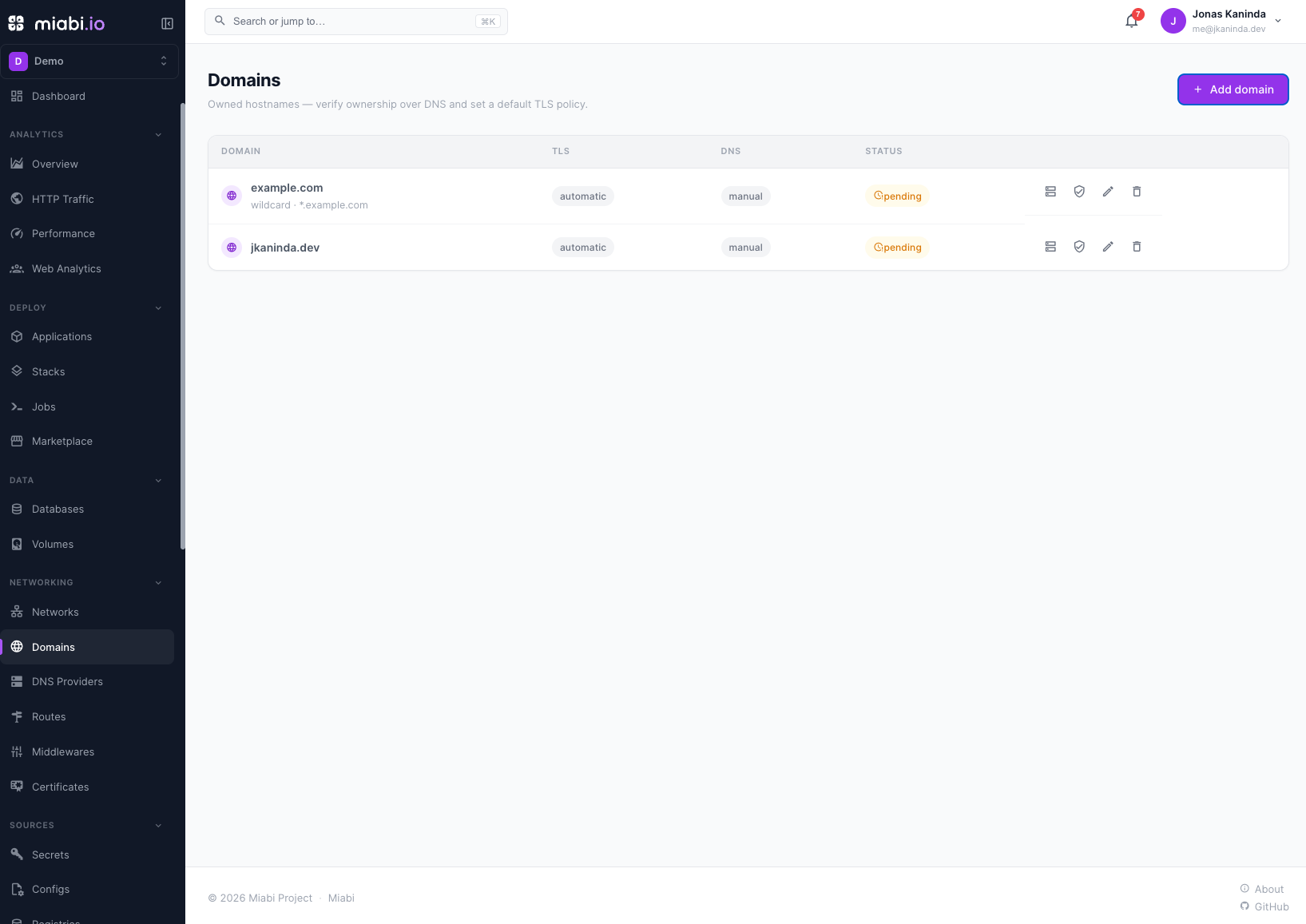
From the Networking → Domains view, choose Add domain and enter the
hostname you want to use. The domain is created in a pending state and belongs
to your current workspace. You can add apex domains (example.com) or subdomains
(app.example.com). Tick Wildcard to also cover every host under it (*.example.com);
serving those over HTTPS needs a wildcard certificate, which requires a
DNS provider or an uploaded certificate.
Verifying ownership
Miabi requires DNS-verified ownership before a domain can serve traffic. When
you add a domain, Miabi shows the record you must publish — a TXT record at
_miabi-challenge.<domain> carrying a unique token.
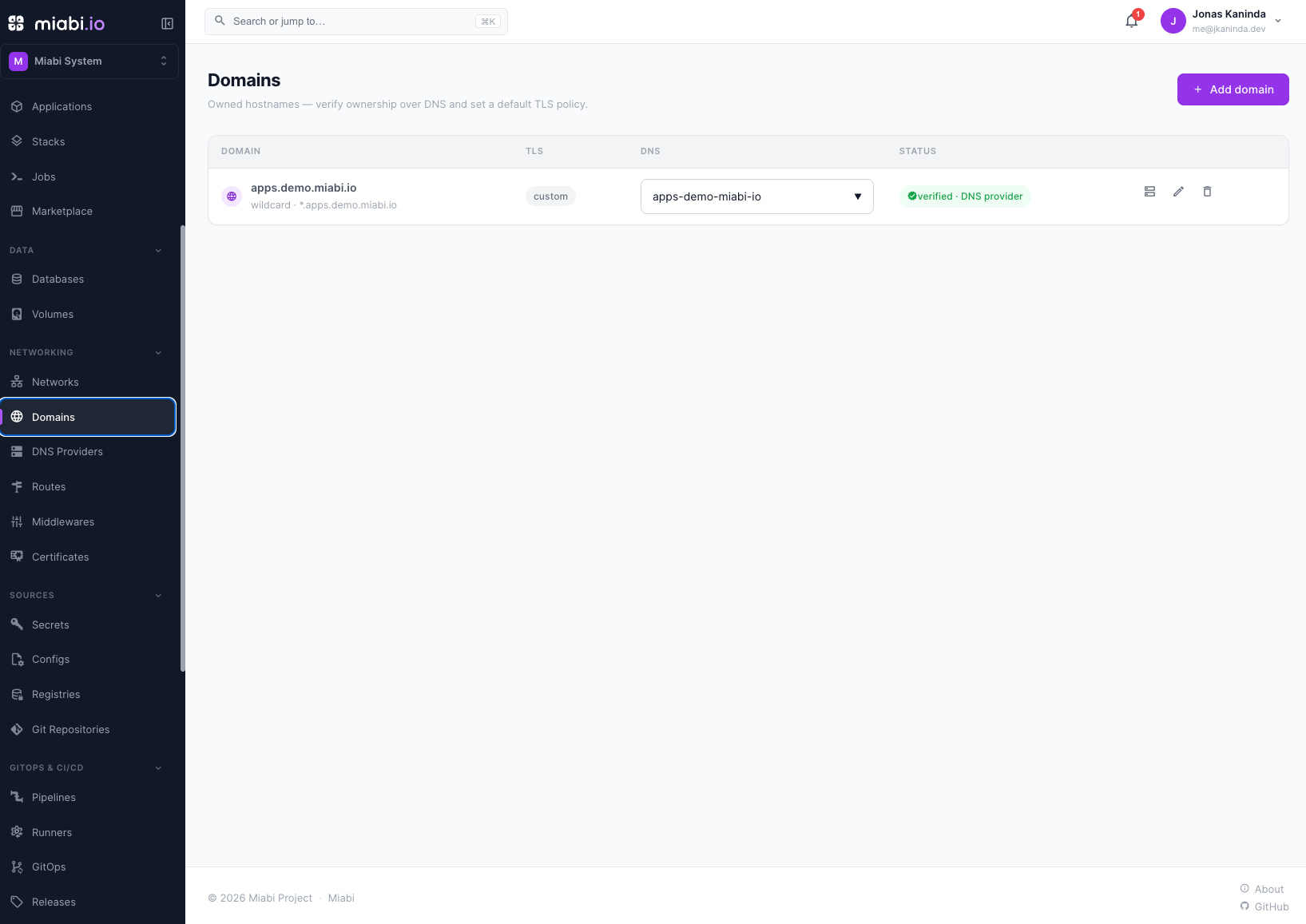
You have two paths:
- Manual — copy the record into your DNS host, then click Verify. Miabi re-checks the public DNS and flips the domain to verified.
- Automatic — if you've connected a
DNS provider, clicking Verify publishes the
TXTrecord for you and checks it. Once the domain is verified, Miabi also manages the address records for the routes you create under it.
Either way, the check reads live DNS — the domain's authoritative nameservers first — never the DNS provider's API.
DNS changes can take a few minutes to propagate. If verification fails on the first try, wait and click Verify again — Miabi does not retry pending domains on its own.
How a domain was verified
Miabi records how ownership was established, because the two are not the same kind of claim:
| Verified via | Meaning | Re-checked? |
|---|---|---|
| DNS | The challenge TXT record was found in public DNS. | Yes — if the record disappears for several consecutive checks, the domain is un-verified and its routes go offline. |
| DNS provider | The same proof, on a domain whose records Miabi manages through a connected provider. | Reasserted by the DNS reconcile job. |
| Admin override | A platform administrator marked the domain verified without a DNS proof, for a private or otherwise unreachable zone. | Checked, but never revoked — see below. |
An admin override is a waiver, not a proof. Miabi keeps probing DNS for it and shows what the last check saw, but it never un-verifies the domain: the record it would look for is one that, by definition, cannot be published. If the record does appear later, the override is promoted to a normal DNS proof automatically and stops being a standing exception nobody remembers granting.
The DNS panel stays available
The TXT record for a domain is visible from the DNS button at any time, verified or
not, along with whether the last check found it and how long ago that check ran. Keep
the record in place after verification — removing it un-verifies a DNS-proven domain.
The domain detail page
Selecting a domain name opens its detail page, which gathers everything about one hostname in a single place:
- Ownership — how it was verified, when, what the last DNS check saw, and the connected DNS provider (which you can link or unlink here).
- DNS record — the
TXTrecord, always visible, with copy buttons. - Routes — every route serving a host under this domain, with its live status. This is what verification is gating: if a route is offline because the domain is unverified, you can see it and fix it without leaving the page.
- Settings — default TLS mode, wildcard coverage, and timestamps.
Verify (or Re-check, once verified), edit and delete all act from the header.
Privileged workspaces
Routes in a privileged workspace serve on a registered but unverified domain. Those domains show as serving · unverified rather than pending, so the status matches what the gateway is actually doing. Privilege is a serving exemption only — it does not verify the domain and does not stop another workspace from verifying the same name.
Attaching a domain to an app
For the whole exposure flow — declaring a container port, choosing between a generated URL and your own domain, and the route fields — see Exposing an Application.
Once verified, create a route for a hostname under the domain — Networking → Routes → New route, or from the application — and pick the target application. Traffic for that hostname is then routed through Goma Gateway to the app's container on the internal network. Every route serving a host under the domain is listed on the domain's detail page.
A route on a verified domain also gets automatic TLS: Goma requests an HTTP-01 certificate from Let's Encrypt, or serves a managed wildcard / uploaded certificate if one applies. See TLS certificates.
Domain status
| Status | Meaning |
|---|---|
| Pending | Added but ownership not yet confirmed. |
| Serving · unverified | Unproven, but served anyway because the workspace is privileged. |
| Verified | Ownership confirmed; the badge names whether by DNS, a DNS provider, or an admin override. |
| Banned | Blocked platform-wide by a platform administrator: its routes are forced offline and it cannot be verified. |
The detail page also shows when ownership was last checked and why the last check failed.
Owners, Admins, and Developers can add, edit and verify domains and create routes under them. Linking a DNS provider and deleting a domain require Admin or Owner. Viewers have read-only access.