Marketplace Overview
The Marketplace is a curated catalog of official, versioned templates you can install into a workspace with one click. Each template captures everything an app needs to run — image, ports, environment variables, volumes, and sensible defaults — so you can stand up popular software in minutes without writing any configuration.
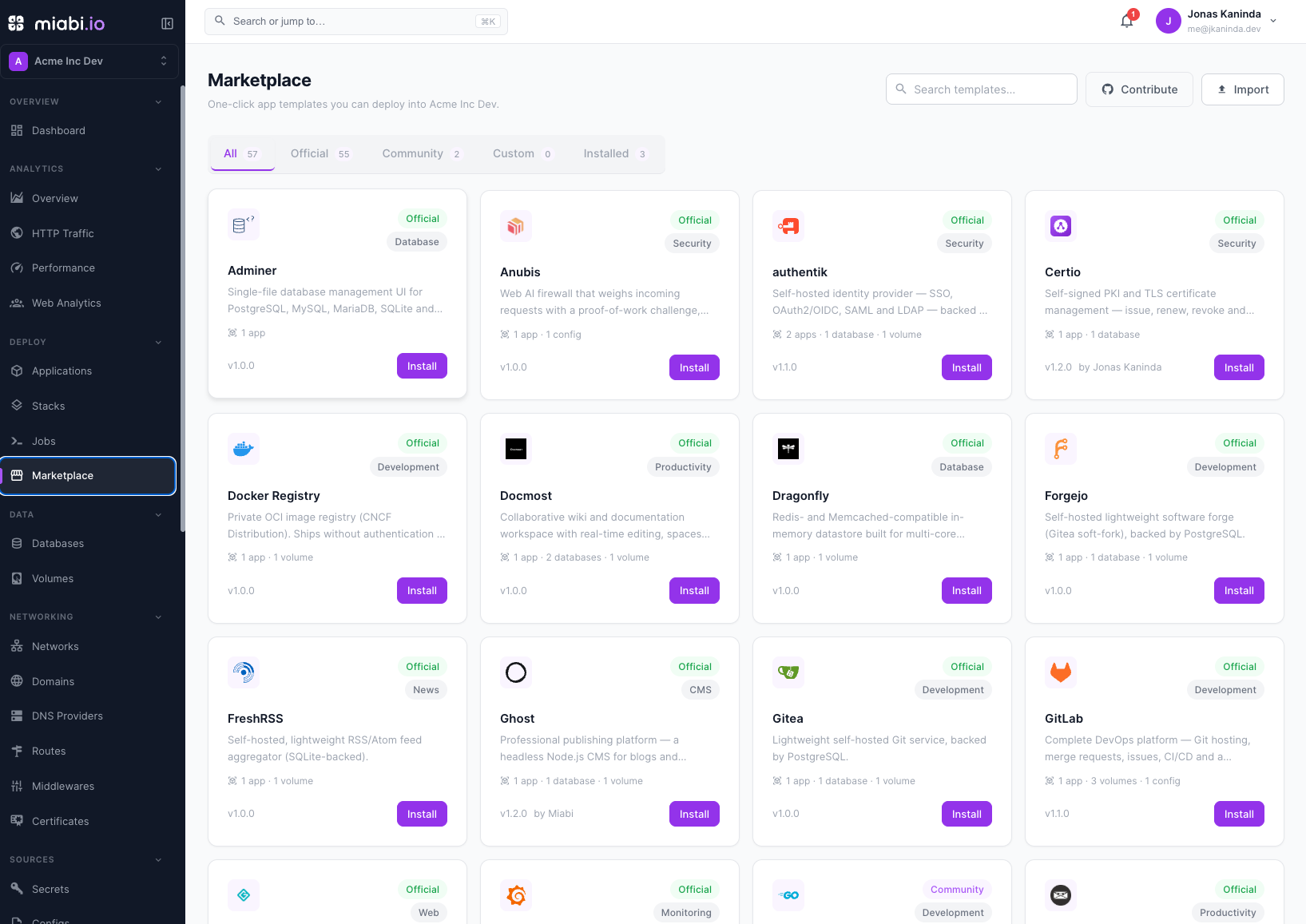
The catalog
Miabi embeds 7 official templates, available offline with no catalog sync:
| Category | Templates |
|---|---|
| Web | NGINX |
| Databases | PostgreSQL, MySQL, Redis, MongoDB, libSQL |
| Storage | MinIO |
More templates (WordPress, Ghost, n8n, and others) come from the synced remote catalog — see
MIABI_MARKETPLACE_URL. The embedded set is the offline floor used when syncing is disabled.
The catalog is maintained by the Miabi project and grows over time. Templates are extensible, so the set can expand without changing how you install them. Anyone can author and contribute one — see Creating a template.
Running your own catalog
MIABI_MARKETPLACE_URL points Miabi at the catalog it syncs from. Three values are meaningful:
| Value | Effect |
|---|---|
https://marketplace.miabi.io (default) | Miabi's official hosted catalog. |
| empty | Syncing off — the embedded templates are the whole catalog (offline / air-gapped). |
| Any other URL | Your own catalog: a self-hosted marketplace service, or a static export.json on a CDN or git release. |
A private catalog is how you ship templates that are yours — internal services, a golden stack, a customer-specific bundle — through the same install flow as the official ones.
Pointing MIABI_MARKETPLACE_URL at your own catalog is part of the Enterprise edition (the
private_registry entitlement). The official catalog and the empty kill switch are never gated —
neither is a paid configuration.
Without a license the setting is not an error and Miabi does not refuse to start: it logs a warning naming the entitlement and syncs from the official catalog instead, so the marketplace keeps working. The check runs at each sync rather than only at boot, so installing a license takes effect on the next sync without a restart — and a lapsed one returns the install to the official catalog the same way.
See Community vs Enterprise and Licensing.
Bundles are cached per source, so switching catalogs — or being returned to the official one by an expired license — never serves the other catalog's templates.
Versioning
Every template is versioned. When you install one, you pin a specific version, and the template's history is tracked so you can move to a newer version later in a controlled way. This keeps installs reproducible and makes upgrades deliberate rather than accidental. See Using templates for the install and update flow.
Installs become normal applications
Installing a template doesn't create a special, locked-down object — it creates standard Miabi applications in your workspace, grouped into a stack when the template has more than one, along with any databases, volumes and configs it declares. Once installed, every application feature applies:
- Custom domains and automatic SSL
- Environment variables and secrets
- Resource limits and scaling
- Deployments, rollbacks, and history
- Volumes, monitoring, and backups
In other words, the Marketplace is a fast starting point; after install you manage the result exactly like any app you deployed from Git or a Docker image. See Applications overview.
For data services like PostgreSQL, MySQL, MariaDB, Redis, MongoDB, and libSQL you can also provision them as managed databases. Use the Marketplace template when you want a self-managed container app; use a managed database when you want Miabi to own credentials, backups, and upgrades.
To remove an install and everything it created, including its volumes and the database instances it provisioned, use Uninstall under Marketplace → Installed. See Using templates.