Container Registry
Miabi ships a first-party, multi-tenant Docker registry so your team can push and pull its own images without a third-party registry account. Pushed images deploy like any other image-source application, and built images can be distributed across nodes (see Image distribution).
The registry is off by default. A platform admin enables it from Admin → Container Registry (see Administration).
How it works
The registry runs as a managed container behind Goma Gateway, which terminates TLS and authenticates every request against Miabi — so the registry reuses your existing API tokens and workspace permissions. There is no separate registry account to manage.
docker login / push / pull
        │  Authorization: Basic <name>:<api-token>
        ▼
 Goma Gateway (registry.<domain>, TLS)  ──►  authorize against Miabi
        │                                     (token + workspace permissions)
        ▼
 registry container  ──►  storage:  local volume  or  S3 / MinIO
Logging in
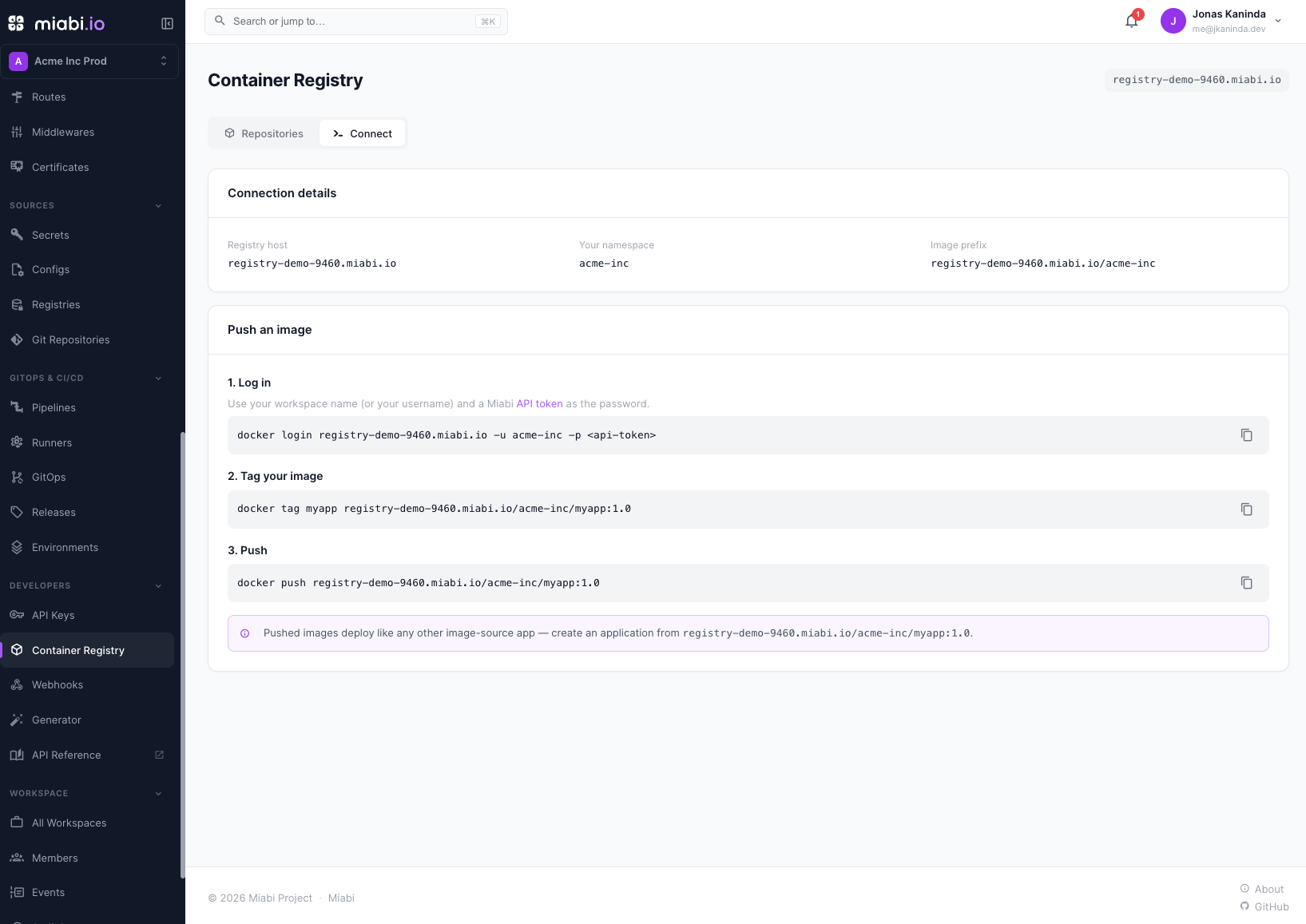
Authenticate with Docker Basic auth: the username is your workspace name (or your username), and the password is a Miabi API token.
docker login registry.example.com -u acme -p mb_xxx          # acme = workspace name
# …or with your own username (any workspace you're a member of):
docker login registry.example.com -u jane -p mb_xxx
- A workspace-scoped token can only act on that one workspace.
- An account-wide token can act on any workspace you're a member of, gated by your role (any member may pull; developer and above may push).
The Developers → Container Registry page shows a ready-to-copy snippet pre-filled with the registry host and your workspace name.
Tagging & pushing
Images are namespaced by workspace: registry.<domain>/<workspace-name>/<image>:<tag>.
docker tag myapp registry.example.com/miabi/guestbook:1.0
docker push registry.example.com/miabi/guestbook:1.0
You can then deploy registry.example.com/miabi/guestbook:1.0 as an image-source app.
Miabi's own Git-source and pipeline builds push here automatically, named after the app and
stored under the workspace's immutable id: registry.<domain>/ws_<workspace-id>/<app-name>:<deployment-id>,
plus a :v<release-version> tag once the deployment succeeds. The same image is also visible under
your workspace name.
Images are stored under your workspace's immutable id while you address them by the workspace name. Renaming a workspace changes the URL you push/pull with (like renaming a GitHub org) but never orphans already-pushed images.
Tenant isolation
A token can only push or pull within its own workspace's namespace. A token for workspace A cannot read or write under workspace B (403), and a read-only token cannot push. The raw registry catalog is not exposed to tenants — your repositories are listed through Miabi instead.
Browsing & deleting
The Developers → Container Registry page lists your repositories and their tags. Members with developer role or higher can delete a tag (this removes its manifest from the registry). Tag deletion and space reclamation require the admin to enable deletes — see Administration → Garbage collection.
Image distribution
When the registry is enabled and image distribution is configured, a successful Git build is pushed to the registry and recorded on the release. This lets any node pull the built image, so deploys and rollbacks of Git-built apps work across a multi-node cluster — not just on the node that built them. See Administration → Multi-node image distribution.
Next steps
- Registry administration — enable it, choose storage, set quotas, run GC, and configure multi-node distribution.
- Deploy from an image — run an image you pushed.
- API tokens — the credential
docker loginuses.