Access & Credentials
Every managed database comes with managed credentials that Miabi generates, stores encrypted, and makes available to your apps. You rarely need to copy a password by hand — apps consume the credentials automatically.
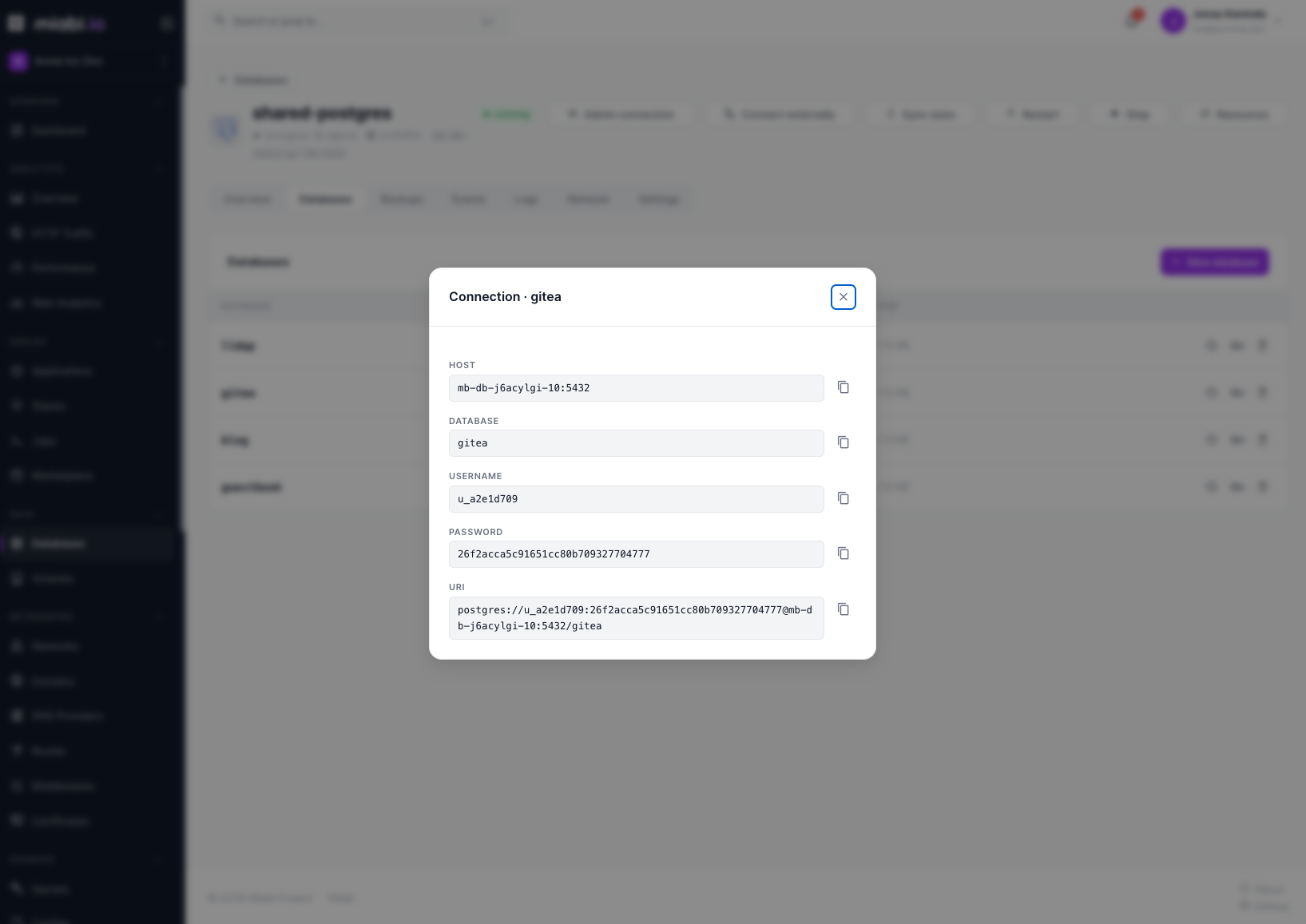
Managed credentials
When a database is provisioned, Miabi generates the default user, a strong password, and a connection string, then stores them in the workspace's secret vault — encrypted at rest and never logged in plaintext. See Encryption.
Workspace admins can reveal the connection details in the database's detail view. Miabi does not rotate a managed database's password; the generated credentials stay the same for the life of the database, including across version upgrades.
How apps consume them
Link a database to an application from the app's Databases tab, and Miabi injects the connection details as environment variables backed by the secret vault:
| Variable | Value |
|---|---|
DB_URL | The full connection URL, as a reference to its managed secret |
DATABASE_URL | Same as DB_URL. Deprecated: kept for existing apps, use DB_URL |
DB_HOST / DB_PORT | The in-network host and port |
DB_NAME | The logical database |
DB_USER | The database's own scoped user |
DB_PASSWORD | That user's password, as a reference to its managed secret |
The password and URL are injected as ${{ secrets.… }} references to the database's
managed secrets, so the plaintext never sits in the app's
settings. Your app reads them like any other
environment variables; a newly linked database takes
effect on the app's next deploy, and unlinking it removes exactly the variables it injected.
Redis
Redis has no per-app databases, so you link the instance itself, and several apps can link the
same one. It injects REDIS_URL, REDIS_HOST, REDIS_PORT and REDIS_PASSWORD, so it sits next
to an SQL database without clashing.
Prefixes and custom names
An optional env prefix namespaces the variables so one app can use several databases: prefix
ANALYTICS gives ANALYTICS_DB_URL, ANALYTICS_DB_HOST, and so on.
To match what a framework expects, open Environment variables in the link dialog and rename any
field's variable (for example url → SPRING_DATASOURCE_URL), or untick it to skip it. Untick
database_url if your app doesn't read the deprecated name.
Two links on the same app can't inject the same variable: Miabi refuses the link and names the clash, so set a prefix or rename the variables.
The same options are available from the CLI (miabi db link) and Terraform
(miabi_database_link).
Reference the injected connection URL (DB_URL) instead of hardcoding credentials, so moving the
app to another database needs no code change.
libSQL token auth
libSQL instances don't use a username/password. Instead, Miabi generates a per-instance
Ed25519 keypair at provision time and starts the sqld server with the public key; clients
authenticate with a JWT auth token minted from the private key (stored encrypted at rest,
like every other credential).
- Endpoint — clients connect over HTTP to the instance host on its libSQL port
(
8080) on the workspace's internal network; there is no separate wire protocol or CLI. - Auth — pass the injected auth token as a bearer token. Use a libSQL/Turso client
library (the token maps to the client's
authToken). - One database — the instance hosts a single database (named
default); you don't create logical databases on it.
The token is injected into attached apps as a secret alongside the host and URL, exactly like the other engines' passwords, so your app reads it from the environment.
Connecting from your machine
Databases are not exposed to the host by default — they're only reachable on the
workspace's internal network. When you need to connect directly from your laptop (a
one-off migration, a manual query, an ad-hoc export), use
port forwarding to open a temporary listener on the
control plane, then close it when you're done. It binds to 127.0.0.1 by default, so reaching it
from another machine needs MIABI_FORWARD_BIND_ADDR set to a routable address.
Don't bake database credentials into images, commit them to Git, or paste them into chat. Let Miabi inject them as secrets so they stay encrypted at rest.
Viewing database credentials is limited to Owners and Admins. Developers can create and operate databases but cannot reveal secret values; Viewers cannot either.