Environment Variables & Secrets
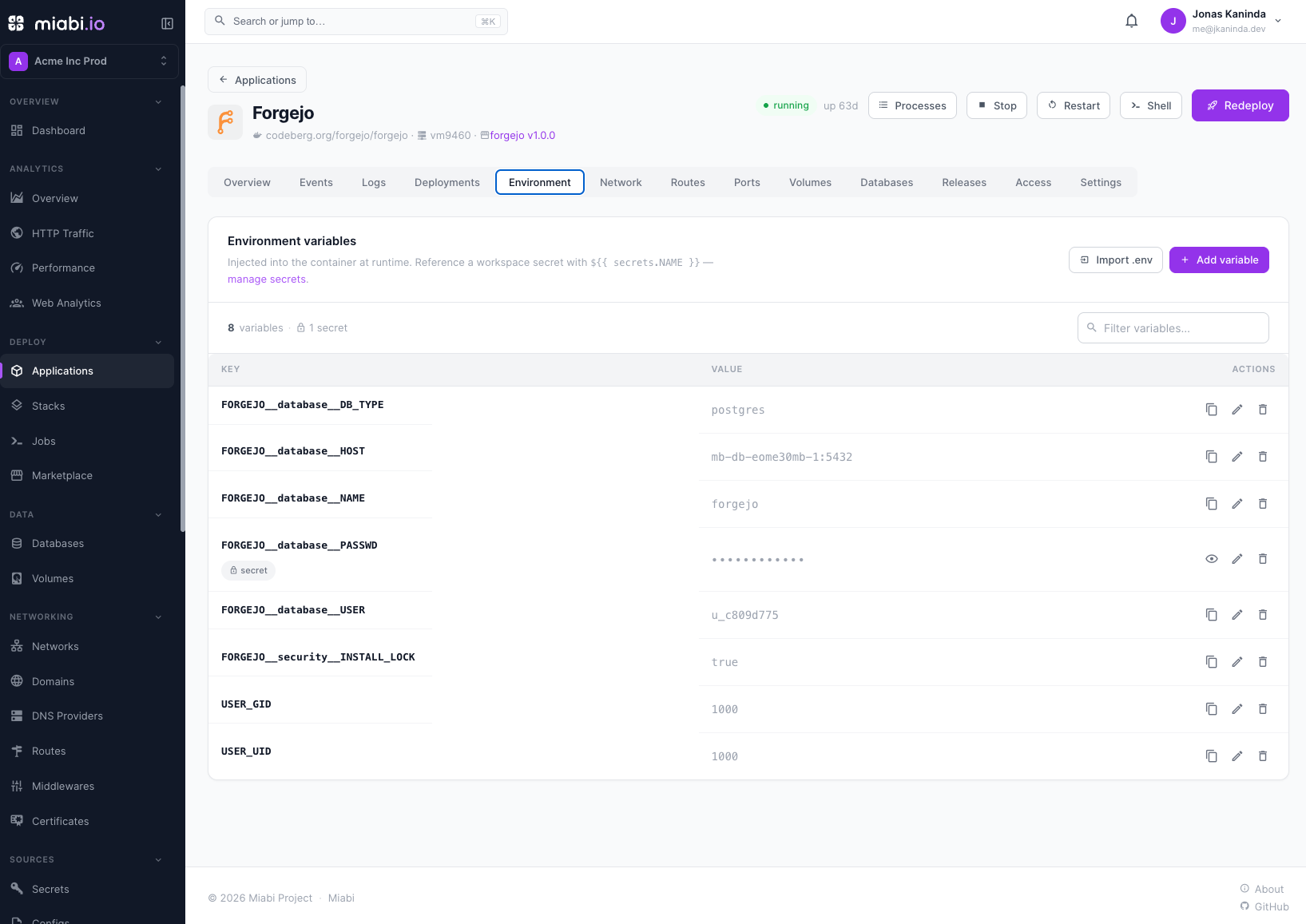
Applications are configured through environment variables. Miabi distinguishes between plain variables and secrets, and stores secrets in an encrypted workspace vault so sensitive values never sit in plain text.
Plain variables vs. secrets
| Plain variable | Secret | |
|---|---|---|
| Example | LOG_LEVEL, PORT, NODE_ENV | DATABASE_PASSWORD, API_KEY, JWT_SECRET |
| Stored | As written | Encrypted at rest |
| Shown in console | Value visible | Masked; a workspace Admin can reveal it |
| In logs / audit | Value may appear | Never shown |
Use plain variables for non-sensitive configuration and secrets for anything that grants access or must stay private.
The workspace secret vault
Secrets live in a workspace secret vault, shared across the apps in that workspace. Define a secret once and reference it from any application with ${{ secrets.NAME }} — rotate it in one place and every consumer picks up the new value on its next deploy. See Secrets for managing the vault, including custom vs. managed secrets.
All secret values are encrypted at rest and are never logged. They are returned in plain text only to a workspace Admin or Owner who explicitly reveals one — every other role sees a masked value. See Encryption for how Miabi protects them.
Once a value is stored as a secret, the console masks it. For anyone below Admin a secret is write-only — to change it, set a new value rather than expecting to read the old one back.
Referencing database credentials
When you provision a database, Miabi generates its credentials and stores them as secrets. Reference these from your application's environment instead of copying connection strings by hand. This keeps credentials in the vault, encrypted, and rotatable without editing each app manually.
Pointing one application at another
Applications in a workspace share a network and reach each other by name, so the API at api
is http://api:8080 to every sibling — no IP, no generated hostname, and nothing to update when
either side is redeployed.
Set it as a plain variable:
| Variable | Value |
|---|---|
API_URL | http://api:8080 |
In a manifest you can have Miabi build that address for you, so the port follows the app it belongs to:
env:
  API_URL: "{{ .applications.api }}"     # http://api:8080
Both applications must be on the same node unless cluster mode is on — a workspace network is node-local otherwise. Apps deployed before Miabi 1.10 answer to their name only after their next deploy.
Redeploy on change
Environment variables and secrets are baked into the running container, so changes take effect on the next deploy. After editing a variable:
- Save your changes in the Environment tab.
- Trigger a deploy (or let your pipeline do it).
- Miabi brings up a new release with the updated configuration, with zero downtime.
Group related apps and share secrets across them with Stacks. To keep dev, staging, and production values separate, give each stage its own application — variables belong to an application, not to a promotion stage. See Environments.