Housekeeping
Housekeeping keeps your nodes tidy and consistent. It does two things: it reconciles drift between what Miabi expects and what Docker is actually running on a node, and it reclaims disk by pruning what is always safe to remove.
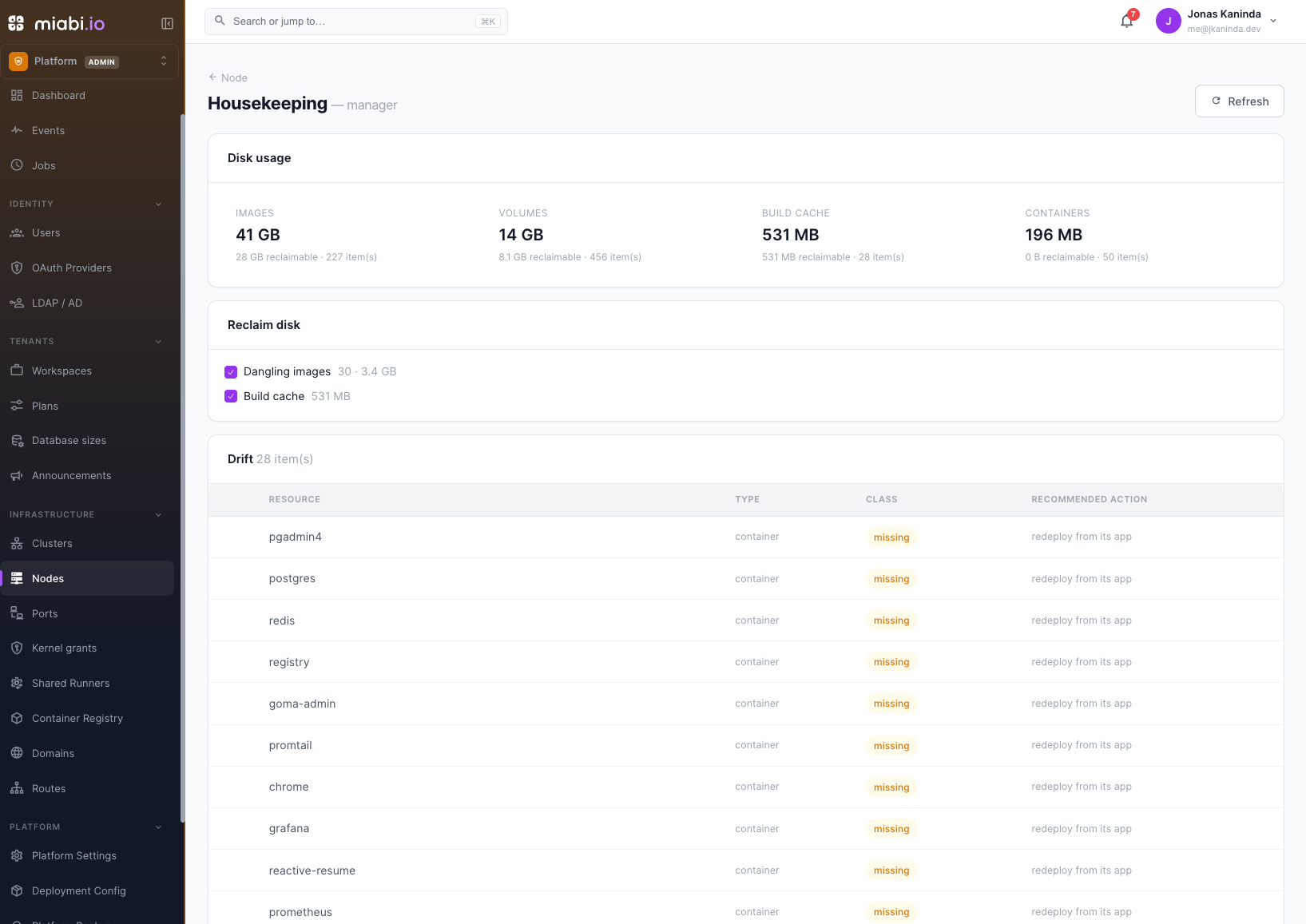
Drift reconciliation
Miabi keeps a record of every workload it manages, and labels the Docker objects it creates with their owner. Over time a node can drift from those records: a container was removed by hand, a node was rebuilt, or something was deleted in Miabi while the node was unreachable.
Housekeeping joins the node's live Docker state against those records and sorts what it finds into three classes:
| Class | What it is | Action offered |
|---|---|---|
| Orphan | A container, volume, or swarm config Miabi created whose owning app, database, volume, stack, or config no longer exists | Remove it |
| Missing | An app that should be running on this node with nothing running for it: no container, or, for a service app, no swarm service according to its cluster's manager | Redeploy it |
| Untracked | A container Miabi does not manage | Import it |
Stopped containers still count as present. Housekeeping does not compare a running container's configuration against the app's settings: a redeploy applies those.
A redeploy goes through the ordinary deploy path, on the node the app already runs on. If a volume holding the app's data is gone, that deploy is refused — Docker would otherwise create an empty volume in its place — and the data has to be restored from a backup first.
Unmanaged volumes and networks are not listed as drift. To bring them, or untracked containers, under management, use Docker import.
Reclaiming disk
The Disk usage card shows how much space images, volumes, build cache, and containers take on the node. Reclaim disk offers the categories that are always safe to prune:
| Prune target | What it removes |
|---|---|
| Dangling images | Untagged images — typically the old layers left behind by rebuilds |
| Build cache | Build cache entries not in use |
Volumes are never pruned wholesale. An orphaned volume — one Miabi created for a volume or database that has since been deleted — appears under drift and is removed only if you select it there.
Removing an orphaned volume permanently deletes its data. Review the list before applying, and back up anything you still need.
Running housekeeping
Housekeeping is a platform-admin task (see Platform Administration). Open a node and choose Housekeeping, then:
- Select the reclaim categories, orphans to remove, and missing workloads to redeploy.
- Preview the selection — Miabi shows exactly what would be removed or redeployed.
- Apply it. Every selected item is checked again against the node's current state first, so nothing that has stopped being an orphan, or is running again, is touched.
Open Housekeeping after manual Docker work or a node rebuild, and reclaim dangling images and build cache periodically on build-heavy nodes.
Continuous reconciliation
Housekeeping is on demand, one node at a time. The control manager watches every node in the background: it reports apps whose container or service disappeared and volumes whose data is gone, and — when set to enforce — redeploys a missing app in place. Each app can opt out or in from its settings (If this app disappears). See Reconciliation.