Build Runners
Runners are machines dedicated to build and pipeline work. When a pipeline builds an image or runs a step, that work executes on a runner — never on the nodes that host your apps and databases. A node's only job is to pull and run the finished image; it never builds it.
This separation matters because a build spike (CPU, memory, disk, image layers, build cache) is exactly the kind of load you don't want competing with the production workloads a node is keeping up. Moving builds onto runners keeps hosting nodes calm and predictable, and keeps untrusted build inputs away from a production Docker daemon.
How builds reach a runner
A runner builds an image and pushes it to a registry by digest; a deploy then pulls that digest onto the target node. The runner and the node never share a Docker daemon. This is what makes "build off-node" clean: once the artifact lives in a registry, who built it is decoupled from where it runs.
When a workspace has a usable runner registered, its git-app deploys and pipeline runs are dispatched to that runner automatically — you don't wire anything up per run. The scheduler picks an eligible runner, leases it, streams the job to it over the runner's tunnel, and rolls the resulting image out to the target node as a plain deploy-by-digest.
Every build needs a runner
Every build runs on a registered runner — there is no in-process, on-node, or built-in fallback. A fresh install therefore needs at least one runner before a Git-source app can deploy. Register one from GitOps & CI/CD → Runners.
The command Miabi shows for a new runner uses the miabi/runner image. Set MIABI_RUNNER_IMAGE on the
control plane to change it, or RUNNER_VERSION when installing. It defaults to miabi/runner:latest;
miabi/runner versions independently of the panel, so its tag does not track the Miabi version.
Registering a dedicated runner
Any machine with Docker can be a runner — the control-plane host itself on a small install, or a dedicated build machine:
- In the console, open GitOps & CI/CD → Runners → Add runner. Give it a name, optional labels, and a concurrency (how many jobs it may run at once).
- Miabi returns a one-time registration token, shown once and stored only as a hash — the same handling as a node join token. Copy it before you leave the page; you can regenerate it later, which invalidates the old one.
- On the build machine, run the
miabi-runnercontainer (or binary) with the token and your control-plane URL. Like the node agent, it dials outbound to the runner gateway — the machine needs no inbound ports open — authenticates, and appears online in the console.
docker run -d --name miabi-runner --restart unless-stopped \
  -e MIABI_CONTROL_URL=https://miabi.example.com \
  -e MIABI_RUNNER_TOKEN=mbr_xxxxxxxx \
  -v /var/run/docker.sock:/var/run/docker.sock \
  -v /srv/miabi/builds:/srv/miabi/builds \
  -e MIABI_RUNNER_BUILDS_DIR=/srv/miabi/builds \
  miabi/runner:latest
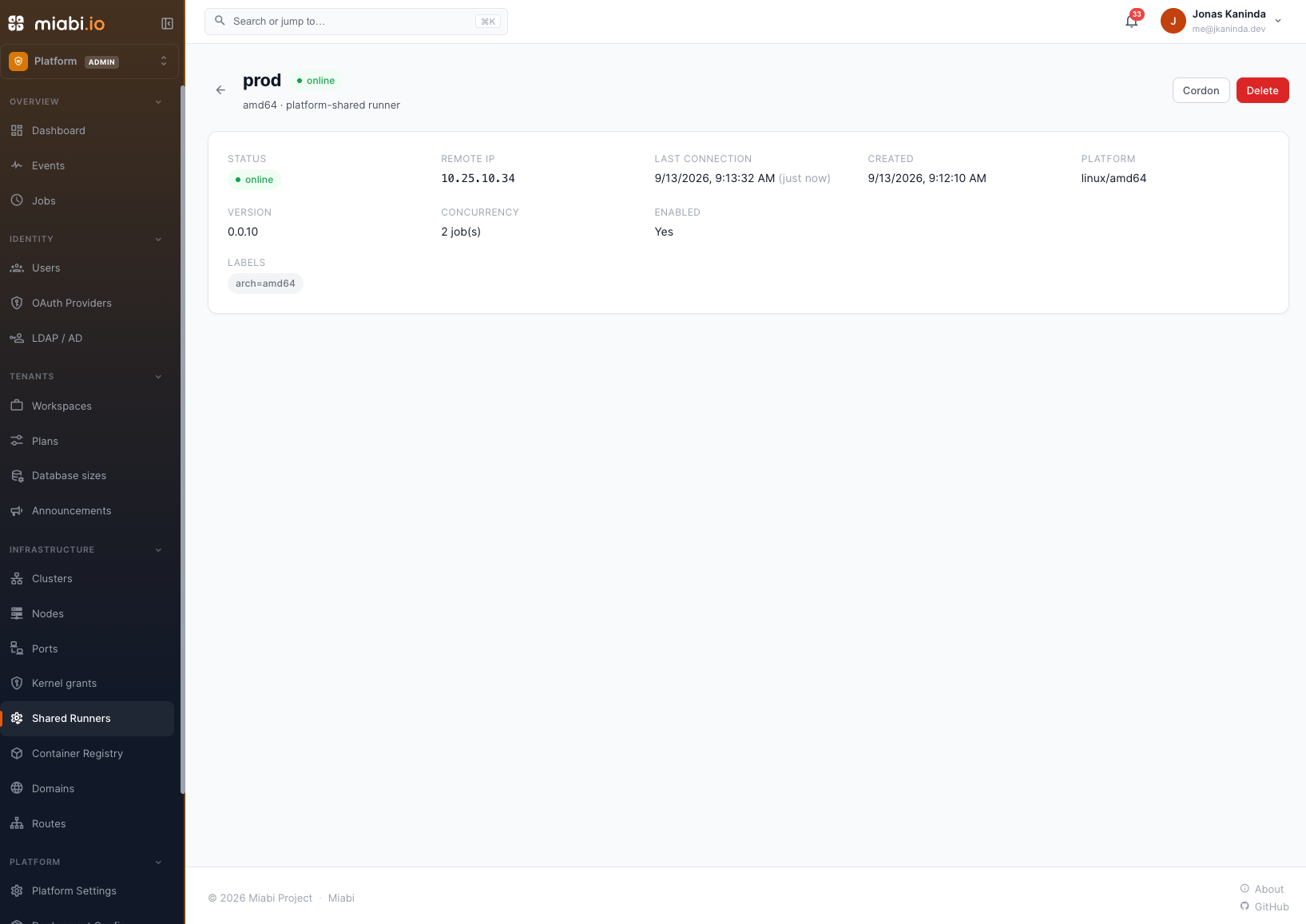
A new runner starts offline and flips to online once its tunnel is live; it reports its OS, architecture, and version on connect. From the runner's page you can edit its labels and concurrency, cordon it (hold it out of scheduling without disconnecting it), disable it, or remove it.
How many runners a workspace may register is a plan limit. If you hit it, raise the workspace's quota or remove an idle runner.
Runner configuration
The runner is configured through environment variables:
| Variable | Default | Description |
|---|---|---|
MIABI_CONTROL_URL | — | Control plane base URL (falls back to MIABI_API_URL). Required. |
MIABI_RUNNER_TOKEN | — | The runner's registration token (mbr_…). Required. |
MIABI_RUNNER_BUILDER | docker | Build backend: docker runs container steps and Dockerfile and buildpack builds against a Docker daemon; buildkit is rootless and daemonless, and builds Dockerfiles only. |
MIABI_RUNNER_BUILDS_DIR | the OS temp directory | Parent directory for each job's checkout and build context. Prefer a real, sized volume over /tmp. |
MIABI_RUNNER_DEFAULT_BUILDER | paketobuildpacks/builder-jammy-base | Buildpacks builder image, when a job names none. |
MIABI_RUNNER_INSECURE_SKIP_VERIFY | false | Skip TLS verification of the control plane. Development only. |
MIABI_DEV_MODE | false | Debug-level logs. |
The docker backend drives the host's Docker daemon through the mounted socket, so step containers mount
the job's workspace from the host. In a containerized runner, put MIABI_RUNNER_BUILDS_DIR on a host
mount, as above. The runner maps the workspace to its host path, so the two paths may differ. Without such a
mount, the runner logs container steps will fail at startup and fails each container step with the same
hint instead of running it in an empty /workspace. The buildkit backend needs neither the socket nor
that mount.
The runner logs each job's start and finish to its own output, so docker logs miabi-runner shows what it
has been doing; the job's step output itself goes to the control plane.
Labels and targeting
Runners carry free-form labels — for example arch=amd64, buildkit, or gpu — and report their OS and architecture on connect. The scheduler can match a job against required labels, only considering runners whose label set contains all of them.
Among the eligible runners it prefers your workspace's own runners over the platform-shared pool, ahead of load: a runner you registered has your warm build cache and sits on your network, so a job is queued on it rather than relocated. The shared pool takes the job when your own runners are saturated, offline, or you have none. Within either group the least-loaded runner wins (fewest active leases, up to each runner's declared concurrency).
Pipelines and deploys do not request labels yet, so today every job matches any in-scope runner; labels are for organizing your runners.
Builds never touch a hosting node
Builds always run on a registered runner. This is unconditional — not a setting you can turn off,
and there is no MIABI_BUILDS_REQUIRE_RUNNER variable.
If no eligible runner can take a build, the run waits in a "waiting for a runner" state, bounded
by MIABI_RUNNER_WAIT_TIMEOUT_MINUTES (default 30). When that elapses the deployment fails
with no runner became available — register a runner.
Miabi does not fall back to building locally when a workspace has no runner. Register a runner before deploying a Git-source app, or the deploy will wait and then fail.
Live logs
A runner streams its output — step transitions, log lines, and the final status — back to the control plane as the job runs. That stream feeds the same live view as any other pipeline run, so you watch a runner build exactly where you'd watch any deploy: in the run's log view, in real time, with full history retained afterward. The image a runner builds is stamped with provenance (which runner produced it), visible on the resulting deployment.
Security and least privilege
Runners are built to be safe to run as shared, multi-tenant build infrastructure:
- Outbound only, scoped token. A runner connects outbound over an encrypted tunnel with a registration token whose scope is distinct from a node's join token. It can register, heartbeat, lease jobs, and stream logs — it cannot reach the panel API, another workspace's data, or a hosting node's Docker.
- No logs stored on the runner. Output is streamed to the control plane, not written to disk on the build machine.
- Per-job credentials, minted on lease. Each job is handed short-lived registry credentials for its work and — when
MIABI_JOB_API_TOKEN_ENABLED=true(the default) — a callback token (MIABI_JOB_TOKEN). For a pipeline bound to an application, the registry login is limited to that app's repository and the callback token to deploying that app. Both are ephemeral, expire at the job deadline, and are revoked the moment the run finishes. A hardened install can setMIABI_JOB_API_TOKEN_ENABLED=falseto withhold the callback token while still injecting the registry credential. - Secrets masked in logs. Every injected credential value is redacted from the live log stream, so a step that echoes one prints
••••. - Per-job isolation. On a shared runner each job runs with only its own context — nothing from another workspace's job is visible.
The upshot: a pipeline step can build and push with zero configured credentials, and a leaked value is useless once the run ends.
Managing shared runners
Administrators can register platform-shared runners under Admin → Runners — runners with no owning workspace that any eligible workspace's jobs can use. Admins manage the shared pool (create, edit, cordon, remove); workspace members can use a shared runner but not edit it.
The Community edition allows up to 2 platform-shared runners; the Enterprise platform runners entitlement lifts that limit. Workspace-owned runners count against the workspace plan's runner limit instead, when plan enforcement is on. A workspace's access to the shared pool is governed by its plan's platform runners capability.
Offering only some runners to a plan
With Enterprise, a plan can name which shared runners it offers, under Admin → Plans → (plan) → Shared Runners — the same shape as binding a plan to locations or database sizes. A plan that names none offers the whole pool, which is how every plan behaves until you narrow one, and the capability still decides whether the pool is in scope at all.
This binds only the platform's own runners. A workspace's own runners are its machines, so a plan never restricts them — and its builds prefer them anyway. An admin can override the list for a single workspace under Admin → Workspaces → (workspace).
A shared runner a plan still names cannot be deleted; remove it from the plan first, so narrowing a plan to nothing is never a side effect of tidying the pool.