Roles & Permissions
Miabi uses a simple, predictable role model. Every member of a workspace holds exactly one of four cumulative roles:
Owner > Admin > Developer > Viewer
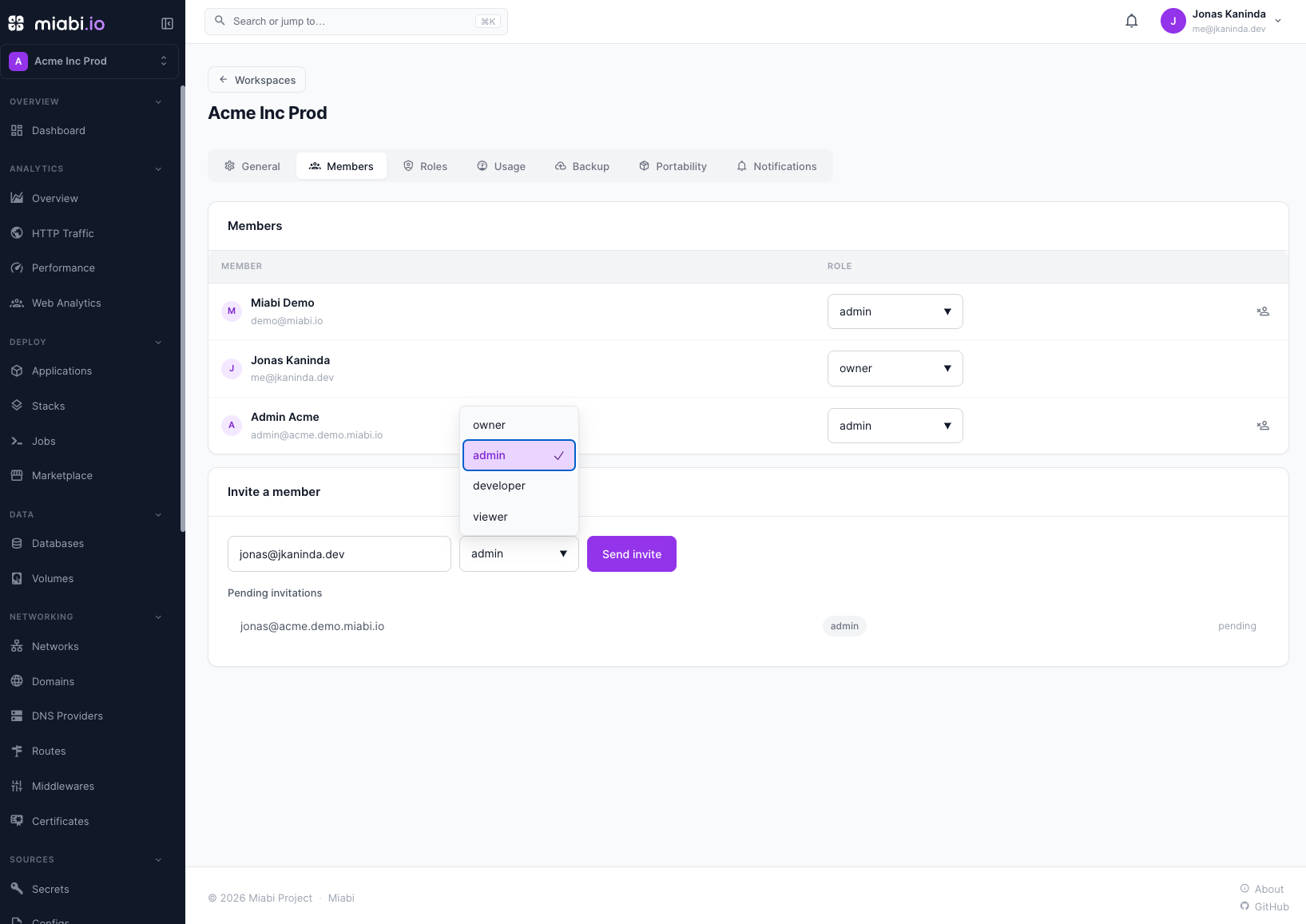
Higher roles include every permission of the roles below them. Four roles cover the full range from read-only access to total control — and on Enterprise, admins can go further with custom roles and per-resource policies.
The four roles
| Role | Description |
|---|---|
| Owner | Full control, including deleting the workspace. The creator is the first Owner; others can be promoted. |
| Admin | Manages members, settings, and every resource in the workspace. |
| Developer | Creates and operates resources — apps, deployments, databases, domains, volumes. |
| Viewer | Read-only access to resources and their status. |
Cumulative permission matrix
Each role inherits everything below it, then adds more:
| Capability | Viewer | Developer | Admin | Owner |
|---|---|---|---|---|
| View resources & status | ✅ | ✅ | ✅ | ✅ |
| Create / deploy apps | ✅ | ✅ | ✅ | |
| Manage databases, domains, volumes | ✅ | ✅ | ✅ | |
| Delete apps | ✅ | ✅ | ||
| Roll back deployments | ✅ | ✅ | ✅ | |
| Invite / remove members | ✅ | ✅ | ||
| Change member roles | ✅ | ✅ | ||
| Edit workspace settings | ✅ | ✅ | ||
| View the audit log (Enterprise) | ✅ | ✅ | ||
| Promote a member to Owner | ✅ | |||
| Delete the workspace | ✅ |
API keys aren't a workspace resource: every user manages their own, and a key can only reach workspaces its user belongs to.
Dual enforcement
Roles are enforced in two independent layers, so a misconfiguration in one cannot bypass the other:
- Middleware — every API request is checked against the caller's role before it reaches business logic.
- Repository-layer
workspace_idscoping — every database query is scoped to the caller's workspace. A token cannot read or write another workspace's data even if it supplies a valid resource ID.
This defense-in-depth means access control isn't a single gate that can be tricked — it's woven into both the request path and the data layer.
Owners and the rank guard
A workspace always keeps at least one Owner (the creator). Multiple owners are allowed.
- The last remaining Owner cannot be demoted or removed.
- There is no dedicated "transfer ownership" action. An Owner promotes another member to Owner — creating a co-owner — after which the original Owner can be demoted, as long as one Owner remains.
Member management is bounded by rank, in both directions:
- You cannot act on a member who outranks you. An Admin cannot demote or remove an Owner.
- You cannot grant a role above your own. An Admin cannot promote anyone — including themselves — to Owner. Only an Owner can create an Owner.
Equal rank is allowed: Admins manage other Admins, Owners manage other Owners. Both violations
return 403. Invitations are bounded the same way — an Admin cannot invite someone as an Owner.
Because an Owner can delete the workspace and its encrypted data, promote members to Owner deliberately and only when you trust them.
Enterprise: custom roles & per-resource policies
The four built-in roles are all most teams need. Enterprise installs can layer two finer-grained capabilities on top of them, without changing how the built-in roles behave.
Custom roles and per-resource policies require a valid Enterprise license. The built-in four-role model and its enforcement are part of the open-source core and always available.
Custom roles
Instead of being limited to the four presets, an admin can define a named role as a permission set — a curated list of resource:action permissions such as app:deploy, domain:write, or backup:restore — and assign it to members. The built-in roles are simply the presets that reproduce the standard Owner ⊇ Admin ⊇ Developer ⊇ Viewer behavior, so nothing changes for existing installs; custom roles slot in alongside them.
Two rules keep this safe:
- No privilege escalation. A role's permission set must be a subset of the assigning admin's own effective permissions — you can never mint or grant a role with more power than you hold yourself.
- Enforcement is always on. The Enterprise entitlement gates defining and assigning custom roles, not the permission checks. If a license lapses, existing custom-role assignments keep being enforced (read-only) — access control never silently turns off.
Per-resource policies
By default a role applies across the whole workspace. A per-resource policy grants a role on a specific resource — for example, "Developer on this one application" or "Viewer on this database" — so you can scope access down to an individual app, domain, or database instead of the entire workspace.
Auditing role changes
Every role assignment, invitation, custom-role definition, and removal is recorded. Review these mutations in the Audit Log, and stream them to an external system with SIEM & compliance.