Workspace Oversight
A platform admin sees every workspace on the instance, and owns the decisions a single workspace cannot be trusted to make for itself — who may claim a hostname, who may occupy a port on a shared host.
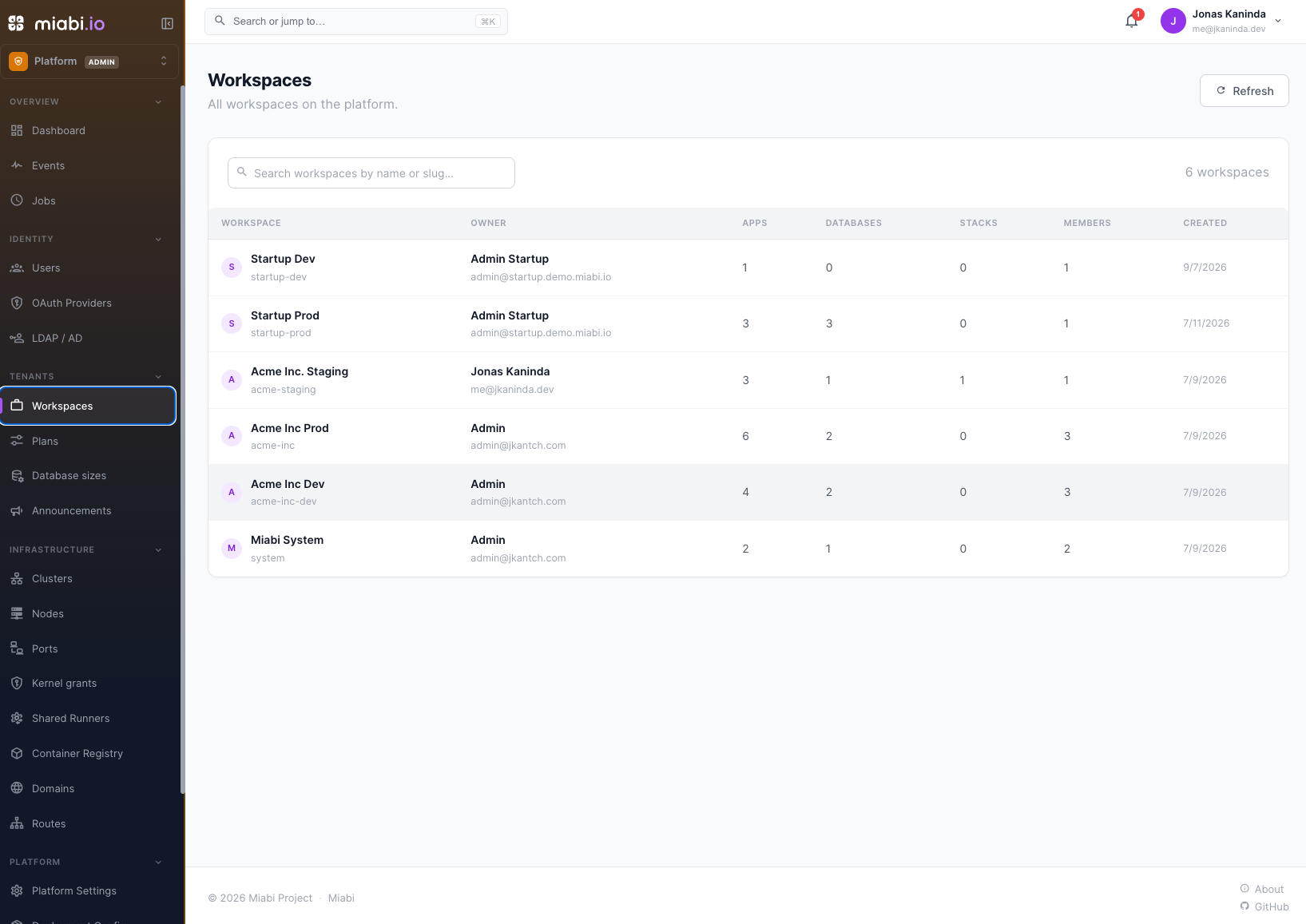
The workspace list
Platform admin → Workspaces lists every workspace with its owner, plan, and resource counts. Open one for the detail view: members, apps, databases, volumes, and the plan it runs under.
Admin visibility here is deliberately structural, not contents. You can see that a workspace has eleven applications and who owns it; reading their secrets is not an admin capability. Secrets are encrypted per workspace, and the admin console has no key.
Privileged workspaces
A workspace can be marked privileged, which relaxes the guards that exist to protect a shared host:
| Guard | Normal workspace | Privileged |
|---|---|---|
| Host mounts | Refused | Allowed to bind operator-managed host paths |
| Host port bindings | Queued for admin review | Auto-approved when the port is free |
| Host port range | MIABI_HOST_PORT_MIN–MIABI_HOST_PORT_MAX | Any port from 1 to 65535 |
| Linux capabilities and host devices | Refused | Grantable per application, when MIABI_CONTAINER_GRANTS_ENABLED=true |
| Unverified domains | Routes stay offline | Routes serve anyway |
Grant it to a workspace you operate yourself — the platform team's own tooling, a trusted internal service. Do not grant it to tenants. Each of these is a boundary between one workspace and the machine everything else runs on.
A privileged workspace's domains show as serving · unverified rather than pending, so the console reflects what the gateway is actually doing. Privilege is a serving exemption only — it does not verify a domain, and it does not stop another workspace from verifying the same name. See Domains.
Moderating domains
Platform admin → Domains lists every domain across every workspace with its verification state.
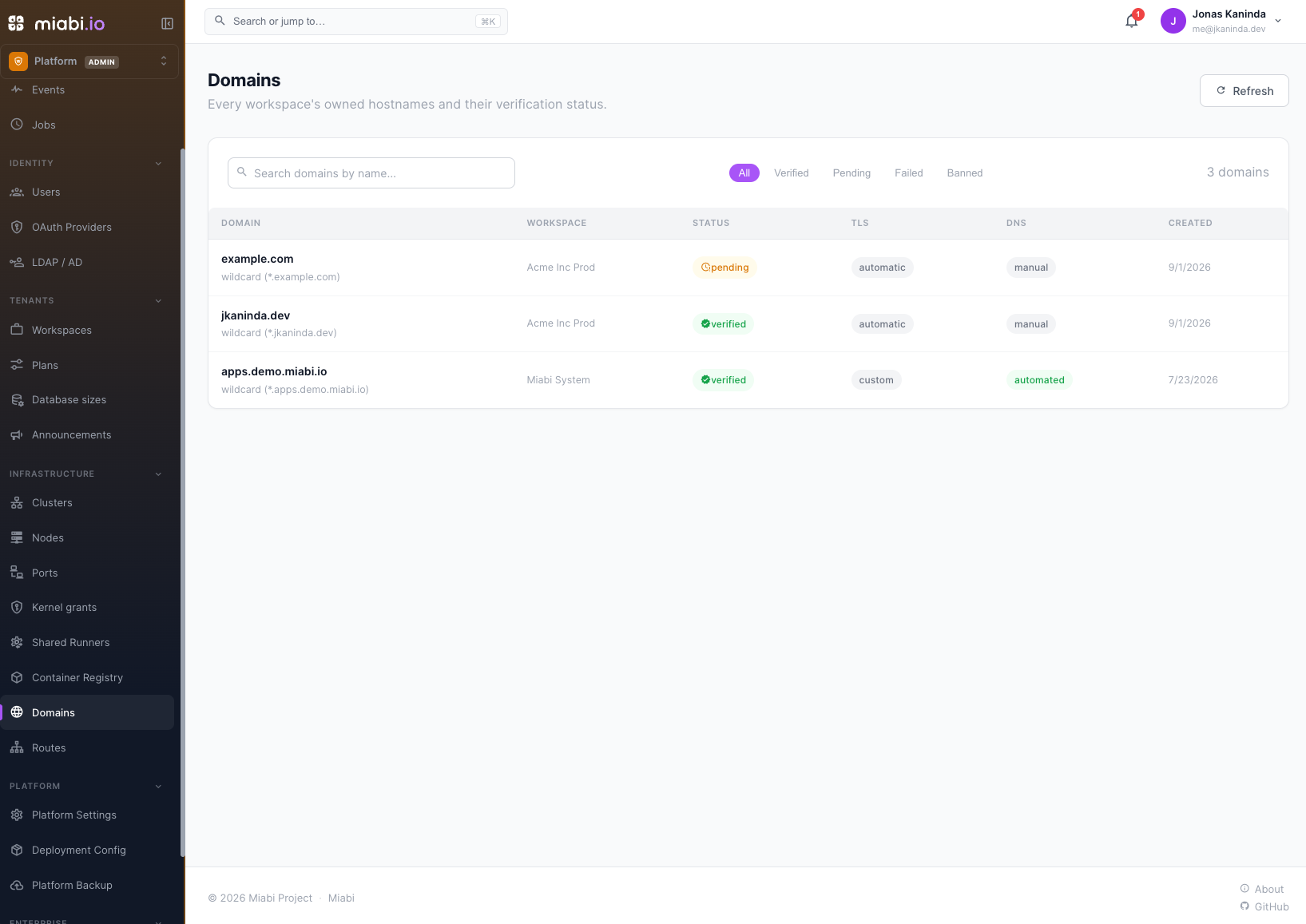
| Action | Effect |
|---|---|
| Verify | Runs the normal DNS ownership check on the tenant's behalf |
| Force verify | Marks it verified with no DNS proof — a waiver for private or unreachable zones |
| Ban | Blocks the domain platform-wide; its routes go offline and it can never be verified |
| Unban | Lifts the block; the previous verification state is restored |
Force verify is a waiver, not a proof. Miabi keeps checking DNS for it and shows what the last check saw, but never revokes it — the record it would look for is one that, by definition, cannot be published. If the record does appear later, the override is promoted to a normal DNS proof automatically. Use it for split-horizon DNS and air-gapped zones, not to skip a verification someone finds inconvenient.
Ban is the abuse lever. A banned domain is never served regardless of ownership or workspace privilege, and the ban survives a workspace transfer.
Moderating routes
Platform admin → Routes shows every route on the instance, which is how you find what a hostname actually points at.
Moderating host ports
Because host ports are a node-wide shared resource, a workspace asking to publish :8080
is asking to occupy that port on a machine other tenants share — so the request is queued
rather than granted, and every platform admin gets an inbox notification linking to it.
Platform admin → Security Center → Host ports is where those requests are decided, below the host-port policy that can approve or refuse them automatically. The top of the page is the Awaiting review queue, with the range you may approve in; below it, each node's full host-port map:
| State | Meaning |
|---|---|
| Pending review | Requested, not yet decided. Nothing is published. |
| Approved · not published | Approved, waiting for the app's next deploy. |
| Published | Live on the node. |
| Not managed by Miabi | Held by a container Miabi has no binding for — an imported container, one started by hand, or the gateway. |
Unmanaged ports are what make an approval fail, so the page shows them rather than leaving you to find out afterwards, and a request whose port is already taken cannot be approved. A node Docker could not be reached on is marked as such: its map comes from the binding table alone, so unmanaged ports are unknown and approved cannot be told from published.
| Decision | When |
|---|---|
| Approve | The port is free, in the allowed range, and the use case genuinely cannot sit behind the gateway |
| Reject | The app speaks HTTP and should use a route instead — which gets it TLS, middlewares and logging for free. You can record a note with the rejection. |
Approved bindings publish on the app's next deploy, since publishing a port means recreating the container.
The allowed range is bounded by MIABI_HOST_PORT_MIN / MIABI_HOST_PORT_MAX (default
1024–65535), so an ordinary workspace cannot request a privileged port even with approval.
A privileged workspace is the exception: it may bind any port from
1 to 65535, because it exists to publish infrastructure that has to sit on a well-known port.
Most host-port requests are really "I did not know about external access." Before approving, check whether one-click external access solves it — the tenant gets HTTPS and you keep the host clean.
Kernel grants
Platform admin → Kernel grants lists every application holding an extra Linux capability or host device, with its workspace. A grant is otherwise only visible inside the app that holds it. Grants marked elevated are close enough to full host access that only the system workspace may hold them. An empty list is the state to expect. See Capabilities & devices.
Workspace encryption keys
Each workspace holds its own encryption key for secrets and credentials. Rotating it is a
workspace action: its owners and admins rotate it under Workspace settings → Encryption, at
most once every 6 months. The admin console doesn't offer it. For a platform-wide schedule, turn on
MIABI_KEY_AUTO_ROTATE. See Encryption.
Where to go next
- Users & Accounts — the account layer beneath workspace membership.
- Plans & Quotas — capping what a workspace may consume.
- Exposing an Application — what tenants are trying to do when they ask you for a port.