Environments
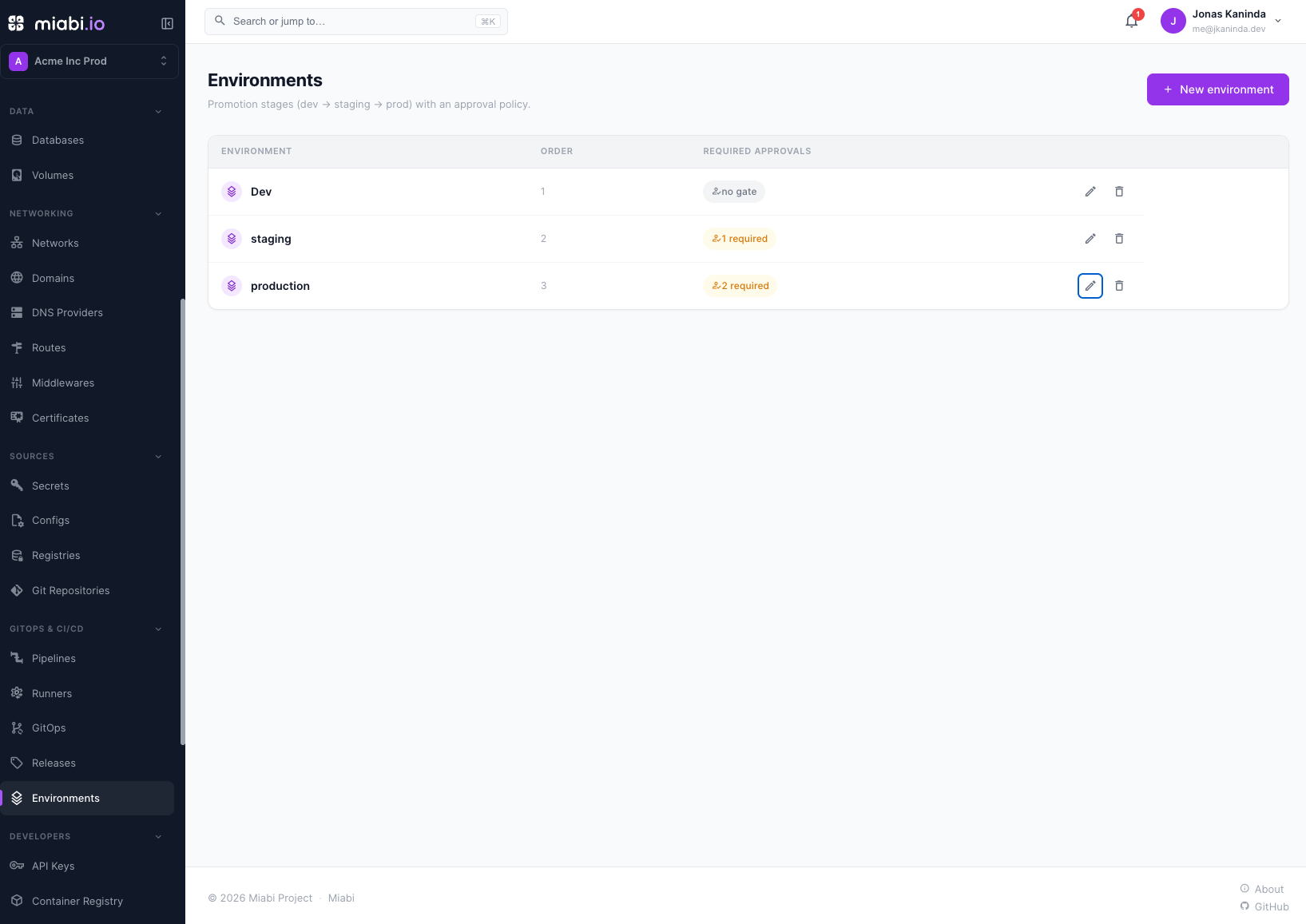
Environments are the promotion stages of a workspace — typically dev → staging → production. Each one is an ordered stage with an optional approval gate: before a release can be promoted into it, it needs a set number of approvals.
Why environments
A change that looks fine in development should be tested before it serves real traffic. Environments give you a clear path:
- Dev — where you iterate quickly and changes are expected to break.
- Staging — a production-like stage for final verification.
- Production — what your users actually hit.
Defining environments
Open GitOps & CI/CD → Environments and create one per stage:
| Field | What it means |
|---|---|
| Name | The environment's handle, unique in the workspace (for example production). |
| Description | Optional free text. |
| Order | Orders the stages: a lower order promotes into a higher one (dev 0, prod 2). |
| Required approvals | How many approvals a release needs before it can be promoted into this environment. 0 means no gate. |
Promoting a release
GitOps & CI/CD → Releases lists the workspace's releases across its applications. Promote on a release opens the gate for a target environment: it shows how many approvals the release has for that environment and how many it needs.
- Approve records your approval of the release for that environment. Developers and above can approve.
- Promote is enabled once the gate is satisfied. It redeploys that release's image on its application through the ordinary deploy pipeline — the same mechanism as a rollback — and records who promoted it.
A release belongs to one application, and promoting it redeploys it on that application. Its configuration comes from the application, as on every deploy. To run separate stages with their own variables, secrets, domains and limits, give each stage its own application — see Environment Variables & Secrets.
Promote releases rather than rebuilding for each stage. Rebuilding can introduce differences between what you tested and what ships; promoting the same image eliminates that risk.
Environments and the rest of Miabi
- Group the applications of one system into a Stack.
- Keep stage-specific secrets in the workspace vault. See Encryption.
- Wire deploys into your delivery flow with Pipelines.