Jobs
A job runs a one-off command inside your application's runtime context — the same image, environment variables, secrets, and network access as your running app. Jobs are how you perform operational tasks without baking them into the app's normal startup.
What a job is
When you start a job, Miabi launches a container from your app's current release and runs the command you specify. Because it shares the app's environment variables and secrets, the command can reach your database, object storage, and other dependencies exactly as the app does — without you handing it any credentials by hand.
Common use cases
| Task | Example |
|---|---|
| Database migrations | Apply schema changes after a deploy |
| Maintenance | Clear a cache, reindex, backfill data |
| One-off scripts | Run a data fix or admin command |
| Diagnostics | Run a read-only command to inspect state |
Jobs are not interactive — they run a fixed command to completion and stream output one way. For a shell into a running container, use the app's terminal instead — workspace Admins and above, on a plan that allows shell access.
Run migrations as a job right after a deploy, or wire them into your pipeline so they run automatically on the way to production.
Running a job
- Open Deploy → Jobs and click Run job.
- Pick the Application and enter the Command to run (for example, your framework's migrate command).
- Optionally set:
- Image — run a different image instead of the app's current one, with a Registry credential for a private image. Useful for a one-off tool the app's image does not ship.
- Run as user — the account the command runs as, like
docker run --user. Blank inherits the app's. - Timeout — how long the job may run.
- Run — Miabi spins up a container from the app's active release (or the image you named).
A Git-source app needs at least one successful deploy before it can run a job. The job runs to completion and then the container is cleaned up. It does not affect your serving containers.
Scheduled jobs
The Scheduled tab turns a job into a cronjob: New cronjob takes the same application, command, image and user as a run, plus:
| Field | What it means |
|---|---|
| Schedule | A cron expression, evaluated in UTC. Ticks missed while the control plane was down are not run afterwards. |
| Concurrency | What a tick does while the previous run is still active: Allow starts another, Forbid skips the tick, Replace cancels the running one and starts a new one. |
| Timeout (s) | The limit for each run. |
| Keep last | How many past runs of this schedule to keep. |
| Enabled | Untick to pause the schedule without deleting it. |
A cronjob's name is unique in the workspace: lowercase letters, digits and hyphens, generated when you leave it blank. A display name is the free-text label the list shows.
How many cronjobs a workspace may have is a plan limit.
Jobs from manifests
Cronjobs and jobs can also be declared as kind: CronJob and kind: Job in apply and GitOps
manifests, or with the Terraform provider's miabi_cronjob
and miabi_job resources.
- A cronjob a Git source manages shows a gitops badge. It is read-only here: Run now, pause and resume still work, but other edits are made in its manifest.
- Declared jobs are listed on the Declared tab with their run policy and the state of their last run. Run again runs one by hand; the next sync doesn't run it a second time.
- A run held for the app's deploy shows waiting for the app's deploy. If that deploy fails, the run is skipped and never starts.
Viewing output
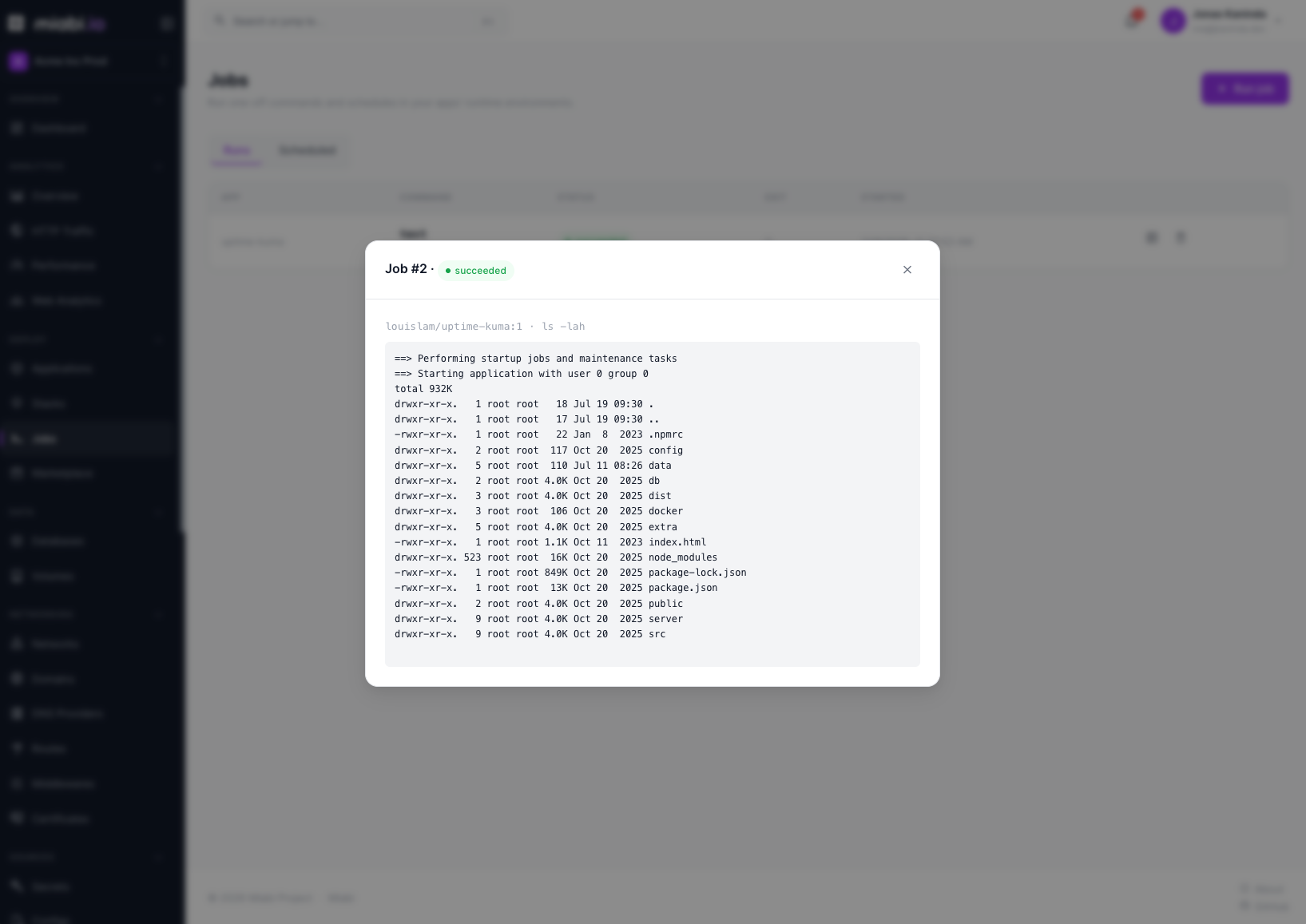
Job output streams live to the console while the command runs, and the full output is retained afterward so you can review what happened. The exit status tells you whether the command succeeded.
Jobs run with your app's real credentials and can modify live data — a migration or maintenance command affects production just as the app would. Review the command before running it, and prefer testing destructive operations in a non-production environment first.
Starting, cancelling and scheduling jobs is recorded in the workspace audit log.