Releases & Rollbacks
Every time a deploy of an application succeeds, Miabi records a release — the image that shipped. Releases give you a complete, auditable history and the ability to roll back instantly when something goes wrong.
What a release is
A release records what ran, not how it was configured:
- The image that was built or pulled, and its digest when known.
- The source commit and the pipeline run that produced it, when known.
- Its version number and the deployment that shipped it.
Environment variables, secrets, resource limits and other settings belong to the application, not to a release. They are read from the app each time it deploys.
Deployment history
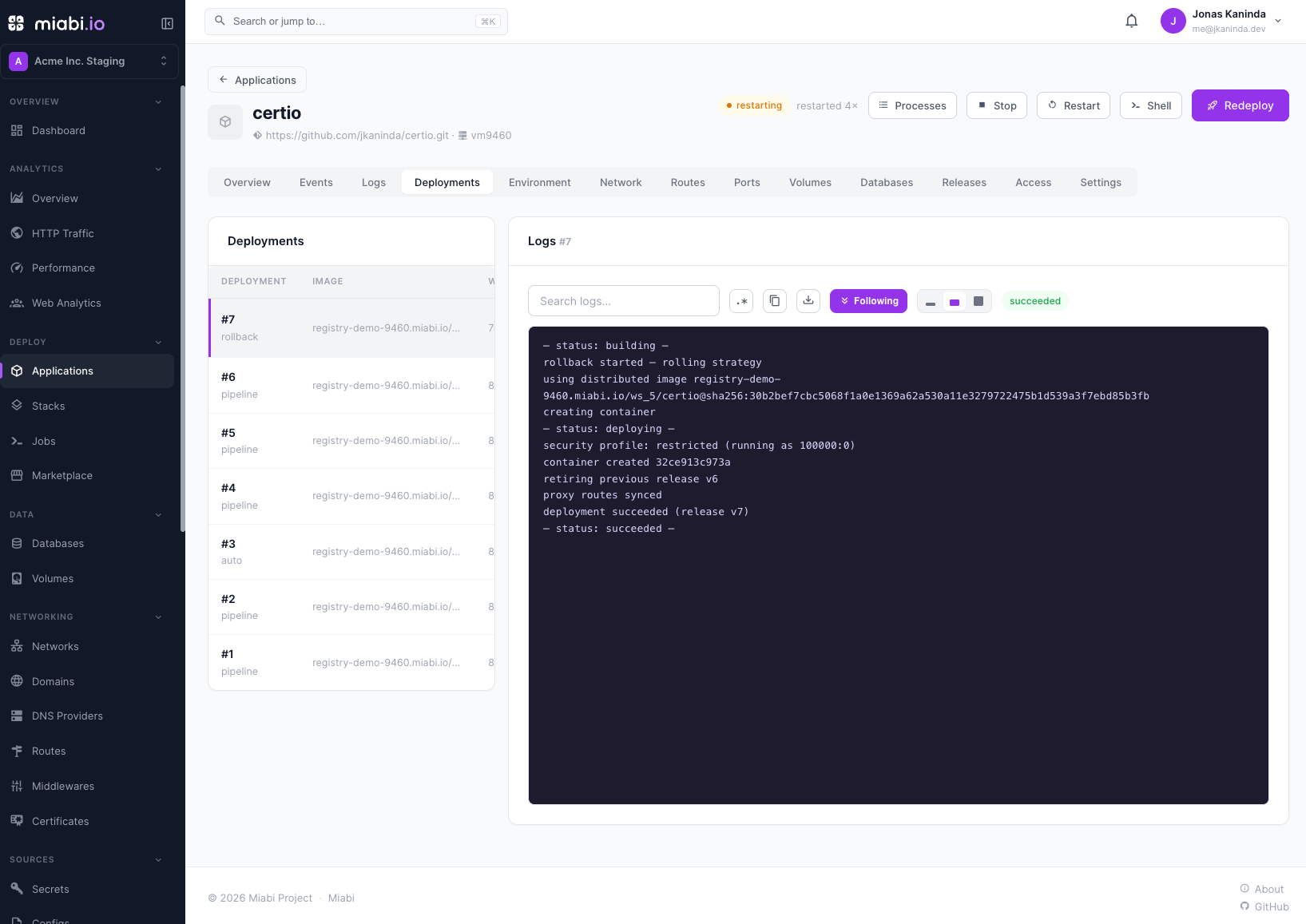
The Deployments tab lists every deploy, newest first, with its trigger, status and live log — including the ones that failed and never became a release. The Releases tab lists the releases themselves, and marks the one that is active.
One-click rollback
If a new release misbehaves, click Activate on an earlier release in the Releases tab. Miabi redeploys that release's image with a rolling switch, whatever strategy the app is set to. The redeploy becomes a new release with the next version number, so history stays linear and honest.
The app's current environment variables, secrets, limits and settings are used. If the bad deploy came from a configuration change, revert that change as well.
Rollback is the fastest way to recover from a bad deploy. There's no need to rebuild — the prior image is already available.
Old releases can be deleted from the Releases tab. Pin a release to protect it: a pinned release, like the active one, cannot be deleted.
Zero-downtime updates
Miabi updates applications without dropping traffic using a rolling switch — the default deploy strategy:
- The new container is started alongside the current one, under the app's stable network alias.
- Miabi waits for it to come up and pass health checks.
- The proxy route is switched to the new container.
- The old container is retired.
Weighted canary rollout — running the new release beside the stable one and shifting a share of traffic to it — is a separate, opt-in strategy, not what an ordinary deploy does. See Canary Deployments.
Because the switch happens only after the new version is ready, users never hit a stopped service. Rollbacks always use this rolling switch, so reverting is just as smooth.
Zero-downtime switching means a deploy briefly runs both the old and new containers. Make sure your app's resource limits leave headroom for this overlap — see Scaling & Resources.
For lifecycle events around each release, see the application timeline.