Several organizations on one instance
Workspaces separate projects. Organizations separate the people who own them. When one install serves several companies, faculties or customers, each becomes an organization: a realm with its own users, its own identity provider, its own limits and, if you want, its own servers.
Good for: a group of companies sharing one platform team, a university with faculties that manage themselves, a managed service provider with customers that bring their own identity provider, and a hosting provider's business customers.
Every install has one built-in default organization, and Community keeps everything in it. Creating
more organizations is Enterprise. See Community vs Enterprise.
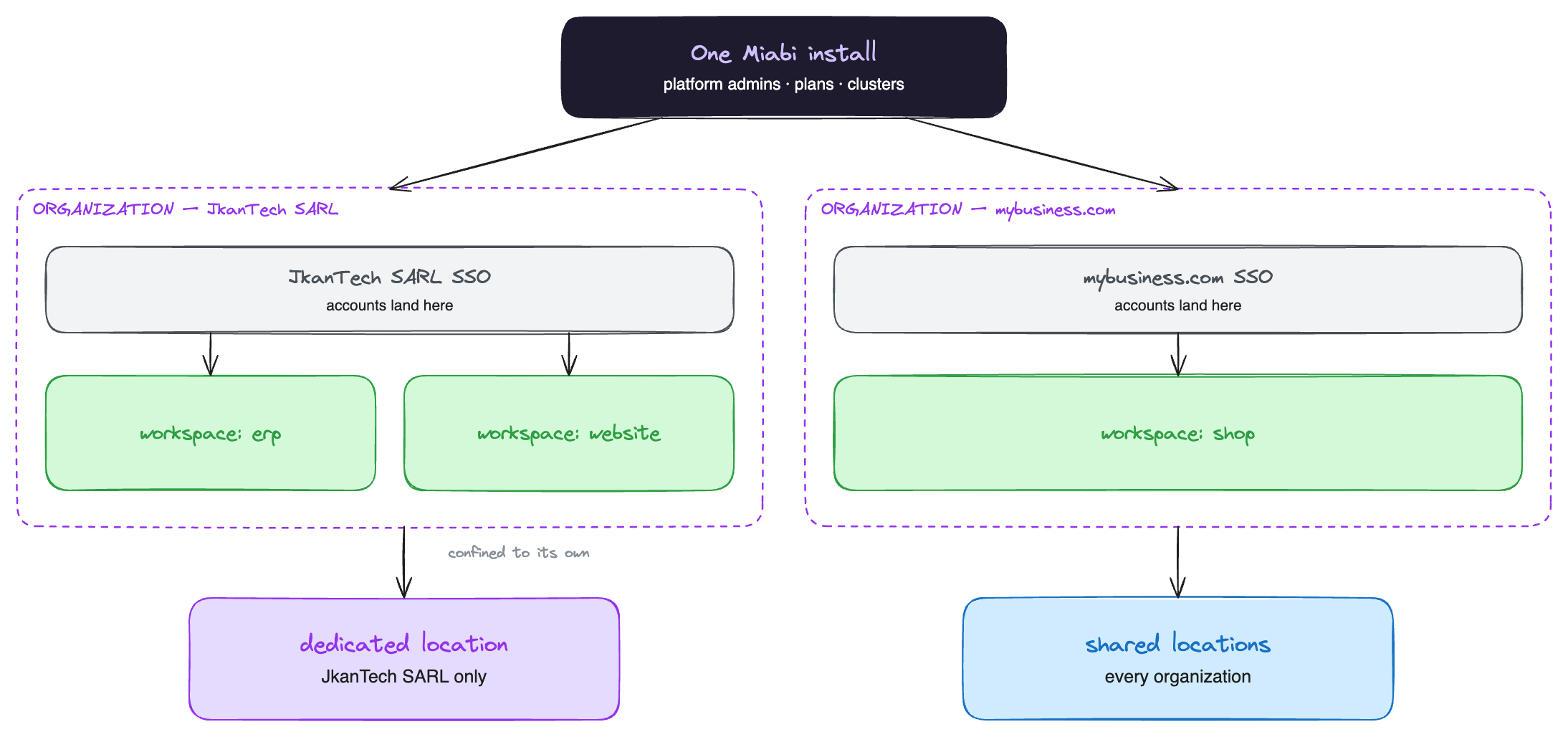
What an organization holds
| Per organization | |
|---|---|
| Users | Every account belongs to one organization. A user registered through an organization's SSO provider lands in it and never in another |
| Identity provider | An SSO provider can be attached to it; with enforced SSO its people cannot use a password |
| Owner | The user accountable for it, recorded on the organization |
| Limits | How many workspaces it may hold in total, and how many each of its users may own or join |
| Who creates workspaces | Anyone, anyone except invited users, or admins and the owner only |
| Locations | A default location, and clusters dedicated to it that nobody else sees. An organization that owns a location is confined to the ones it owns |
Workspaces inside an organization work exactly as they do anywhere else: members, roles, plans, quotas and isolation are per workspace.
Setting it up
- Create the organization under Platform admin → Tenants → Organizations, with an owner and its limits. See Organizations.
- Attach its identity provider. Create an SSO provider with the organization set. People who register through it land in that organization. The setting is fixed once the provider exists.
- Give it hardware, if it pays for its own. Add its servers as a cluster, then dedicate the location to the organization from the cluster's page: Belongs to → Change.
- Hand over. The organization's owner and the admins it appoints create workspaces and invite their own people from then on.
One install or several?
Organizations share one control plane, one set of platform admins, one upgrade schedule and one database. Run separate installs instead when one of those has to differ:
| Choose organizations when… | Choose separate installs when… |
|---|---|
| One team operates the platform for everyone | Each tenant has its own operators |
| Tenants accept the same version and maintenance windows | A tenant needs its own upgrade schedule |
| Shared hardware is fine, or dedicated clusters are enough | The control plane itself must be separate, for regulation or contract |
| You want one console to see everything | Tenants must not share even the platform database |
The two are not exclusive, and moving between them is a workspace migration: a tenant that outgrows the shared install moves its workspaces to a dedicated one, with their data.
Where to go next
- Organizations — the full reference.
- SSO and SAML & SCIM — tenant sign-in and provisioning.
- Hosting providers and agencies — plans and tiers for those organizations.